
FB ad pixel settings
Where to findFacebook Advertising Pixel(Meta Pixel):
1. LoginFacebook Ad Manager: Enter yourFacebook Account, find the advertising manager.
2. Enter the event management tool: In the advertiser's menu, click "Event Management Tools."
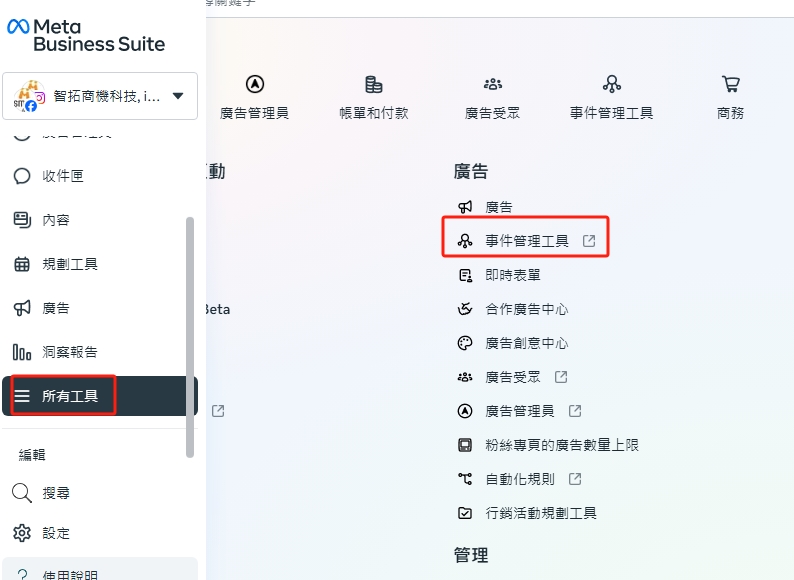
3. Select the source of information: Click the "Source" icon and select "Website" as the data source.
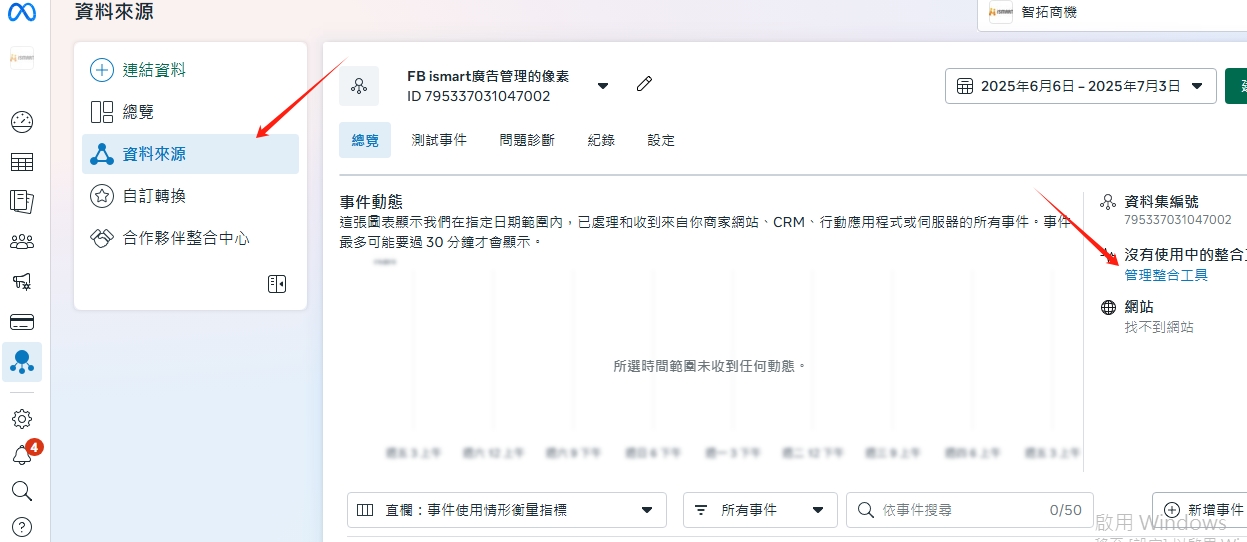
4. Select pixels: In the pixel list, select the one you want to useFacebook pixels.
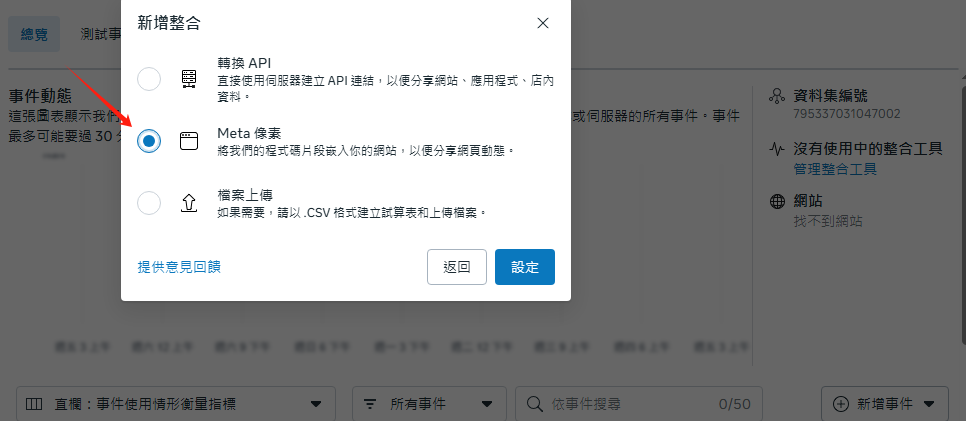
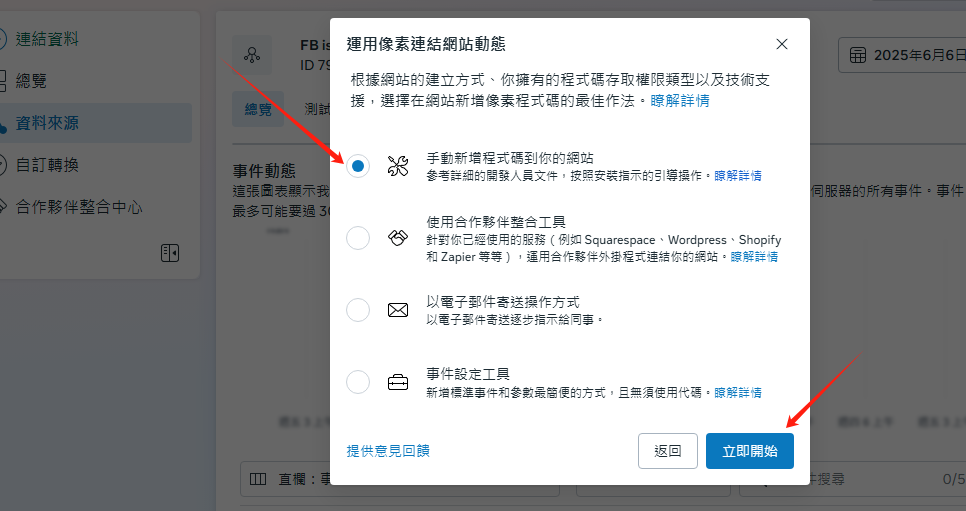
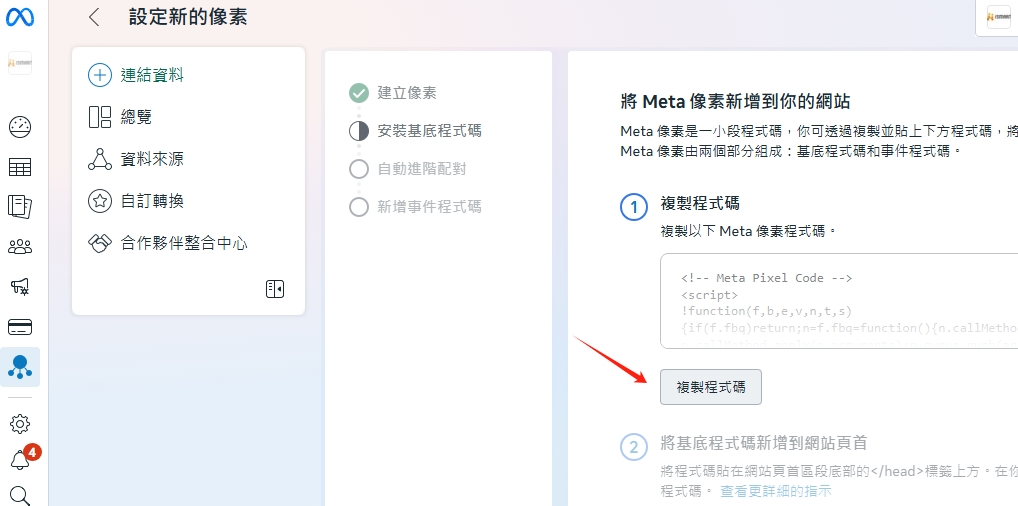
5. Copy the program code and provide the program code to online customer service.
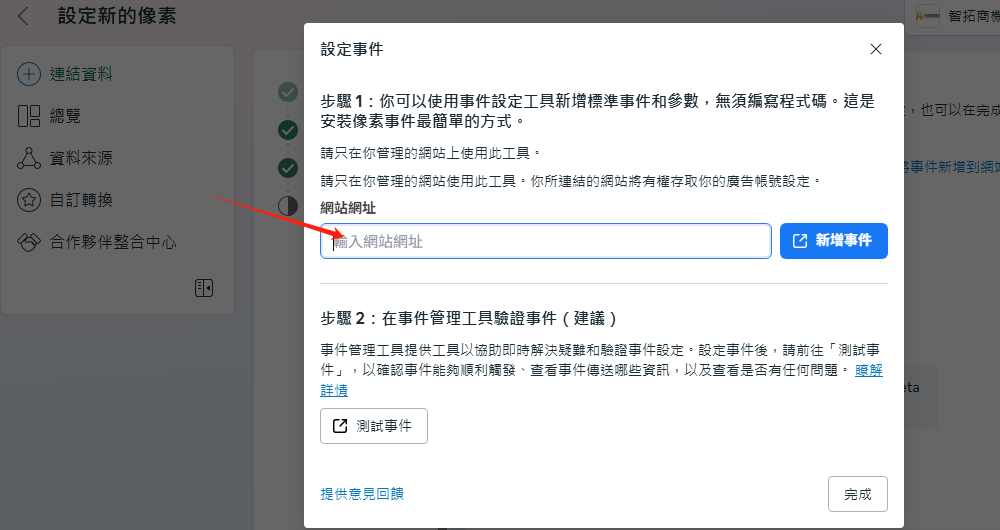
6. Set URL pixels : Paste your URL path in the field and click Add event
7. Add the base code to the website header and paste the code at the bottom of the website header sectionAbove the label. Add code to all pages of your site.
There are no products to list in this category.
