
PayPal
PAYPAL setting instructions
(1). You must first register an account on the PAYPAL official website and bind your Yushan Bank account before you can activate the foreign collection mechanism.
(2). Click on the red box, and the second picture will appear. Paste it in according to the relevant information provided by PAYPAL and it can be used. The last column is to fill in the URL of the website.
(3). You can go back to the first picture and click on the image on the right to test card swiping. The image on the left is the official test card swiping screen.
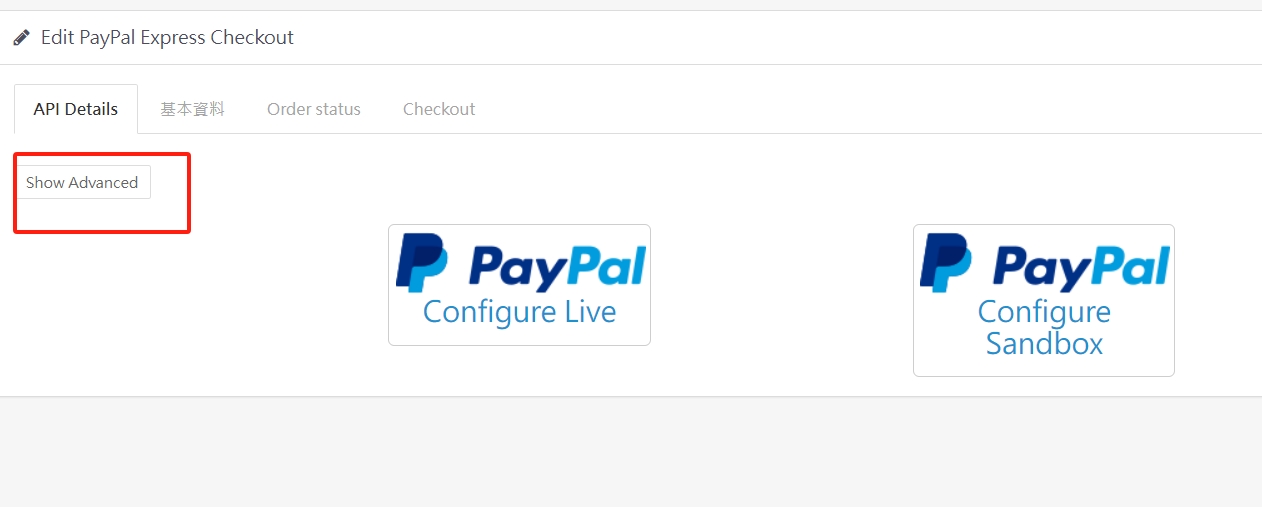
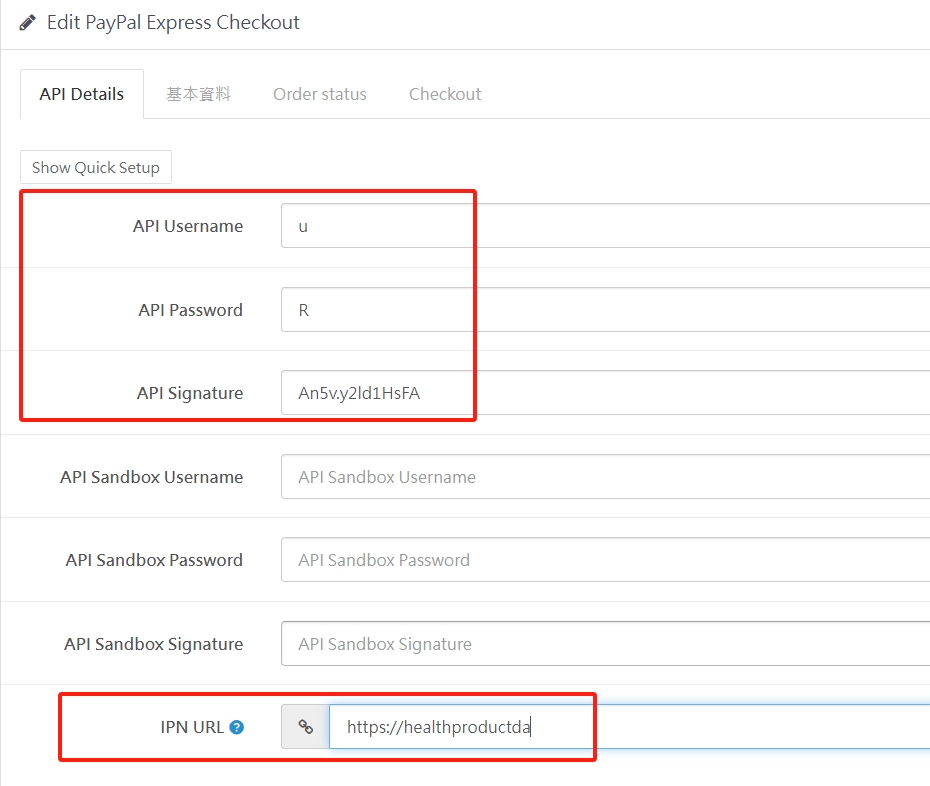
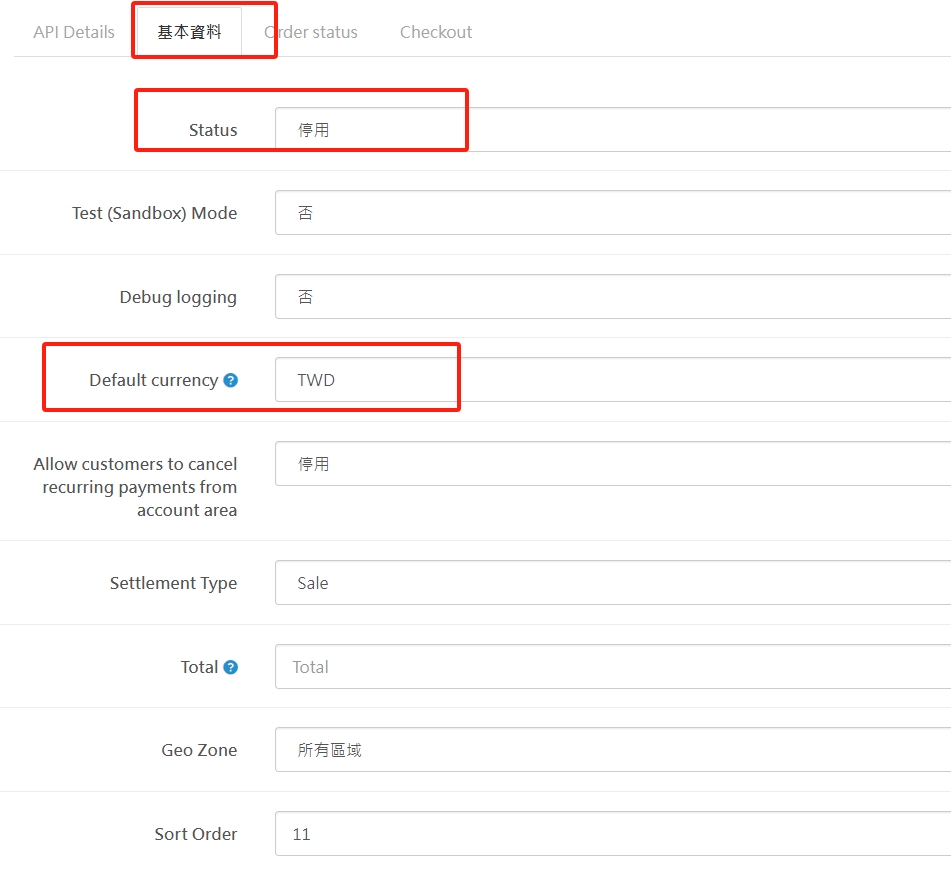
(4). Basic information tab, the status should be enabled, select the website's default products, which means which currency the product price is in, the last one is sorting, the status of other items and orders can be adjusted according to the website's operating conditions.
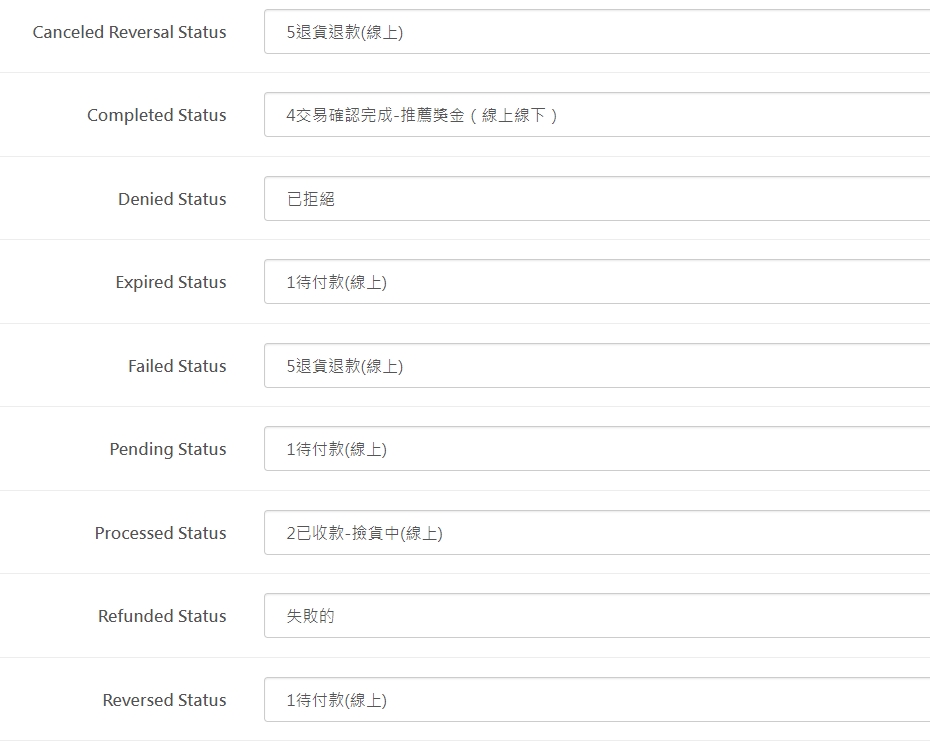
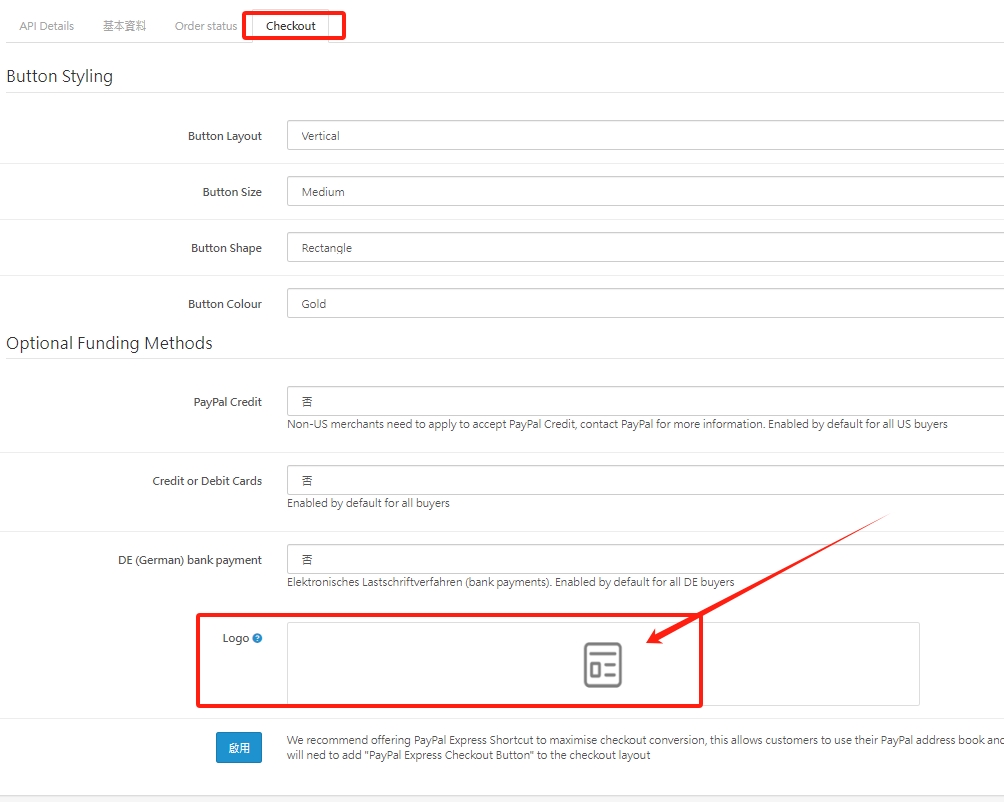
(5). You can directly use the PAYPAL default value or adjust the presentation method of the PAYPAL credit card button according to the actual operating conditions. The last red box is the LOGO image of the uploaded website.
There are no products to list in this category.
