
Bottom block link
1.Bottom block link setting instructions
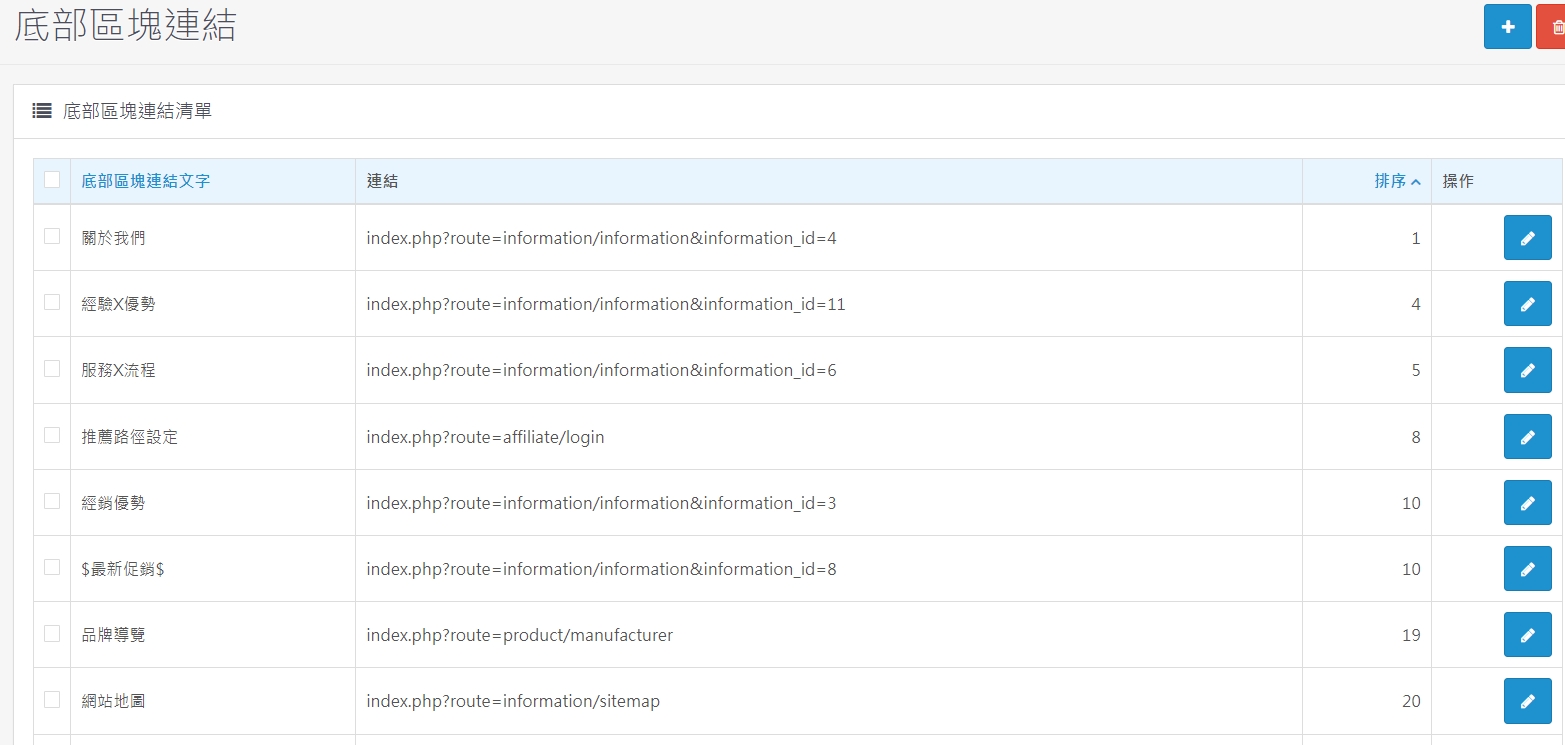
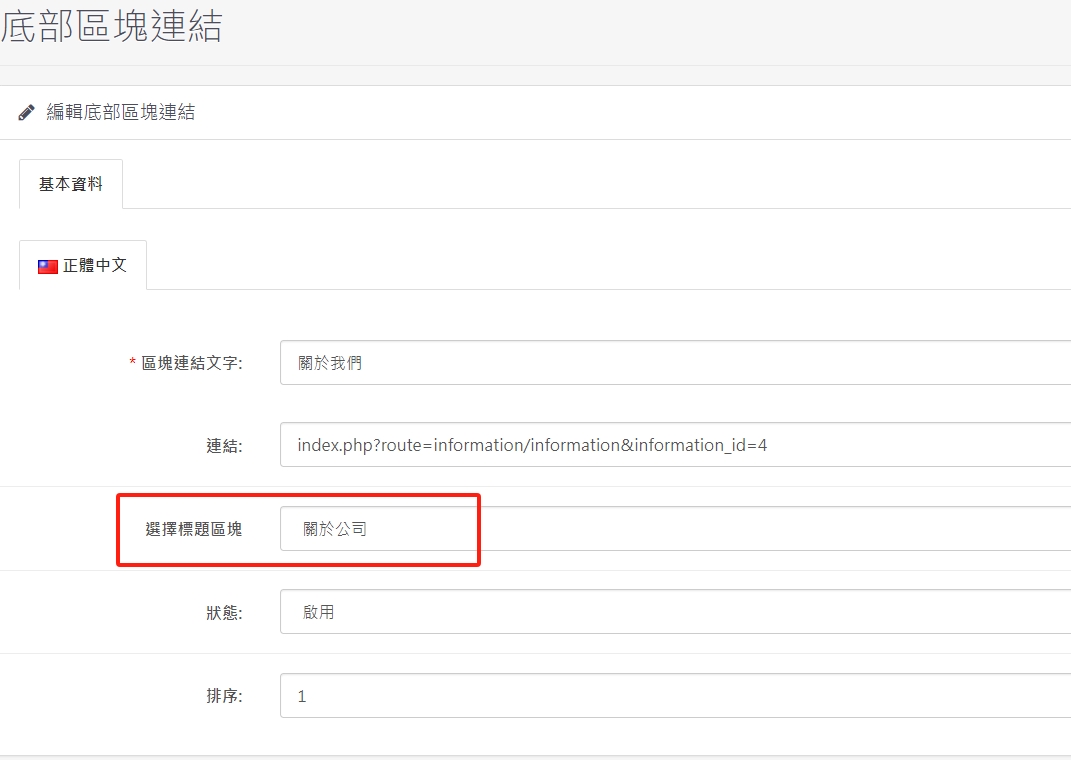
1. Click "+" to add small items in the bottom block and select which large item to list under.
2. To continuously add new pages, you only need to paste the path below and change the red words behind it to other numbers.
index.php?route=information/information&information_id=4
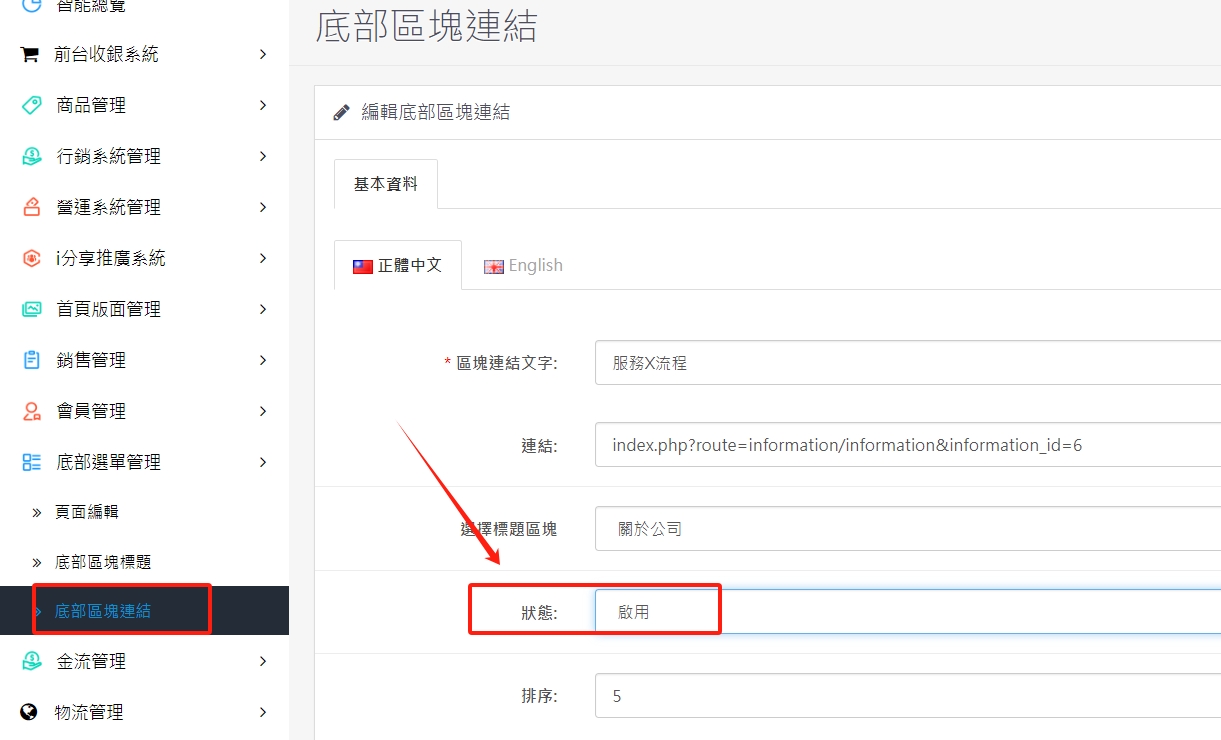
2. Instructions for enabling and closing bottom block links
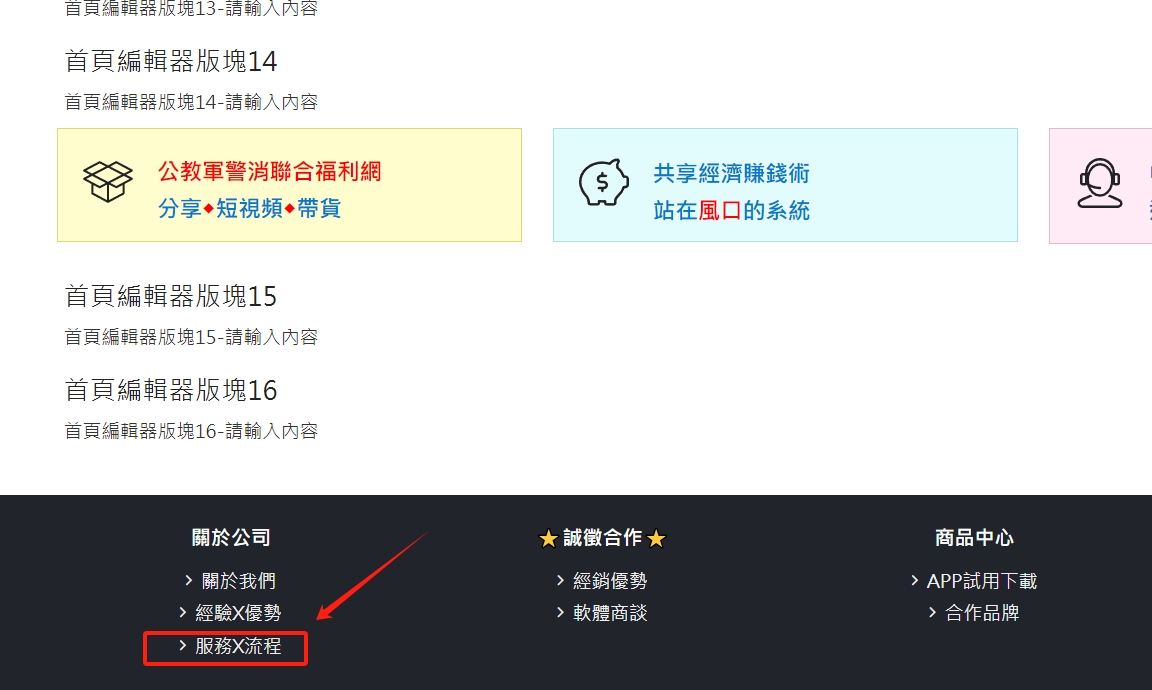
1. If you don’t need too many items displayed at the bottom of the website, you can close them here. The steps are as follows:
(1) Items you want to close
(2) Select the corresponding title
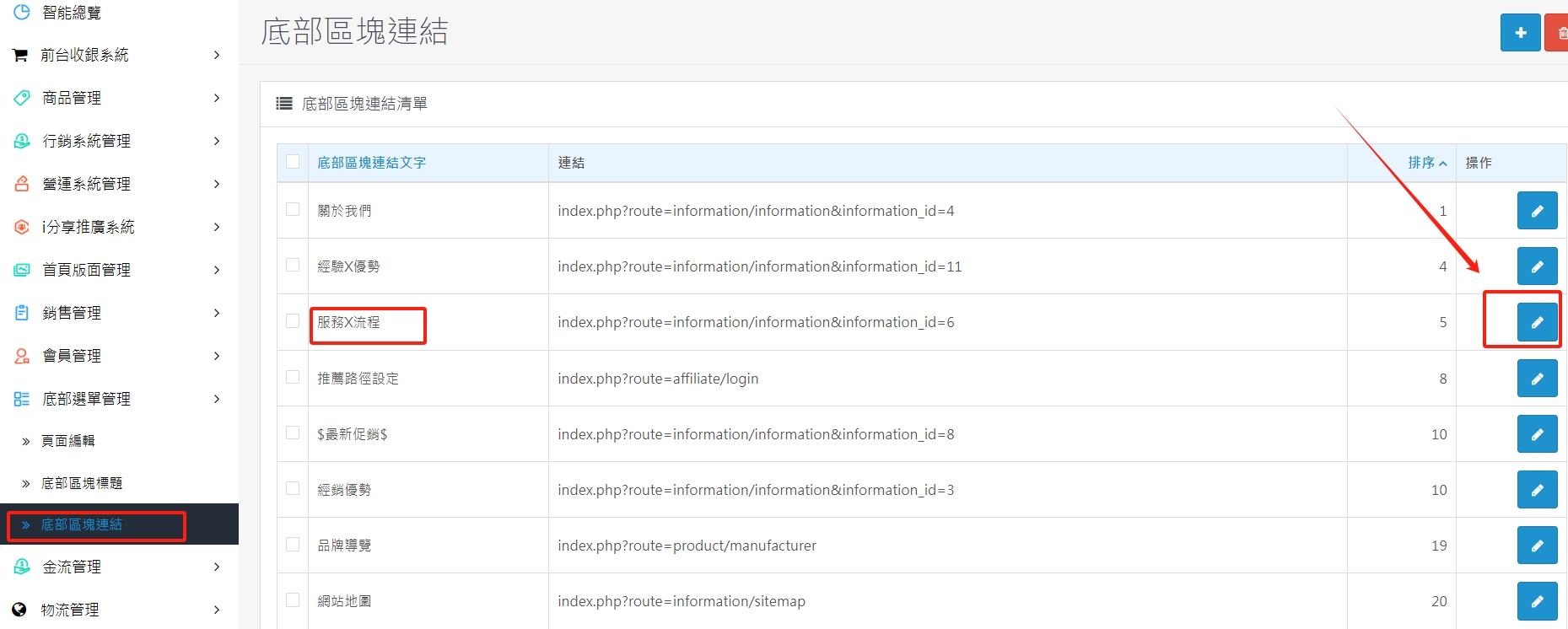
(3) After clicking the modification, choose to close and archive.
There are no products to list in this category.
