
Home window pop-up ads
Home window pop-up ad setting instructions
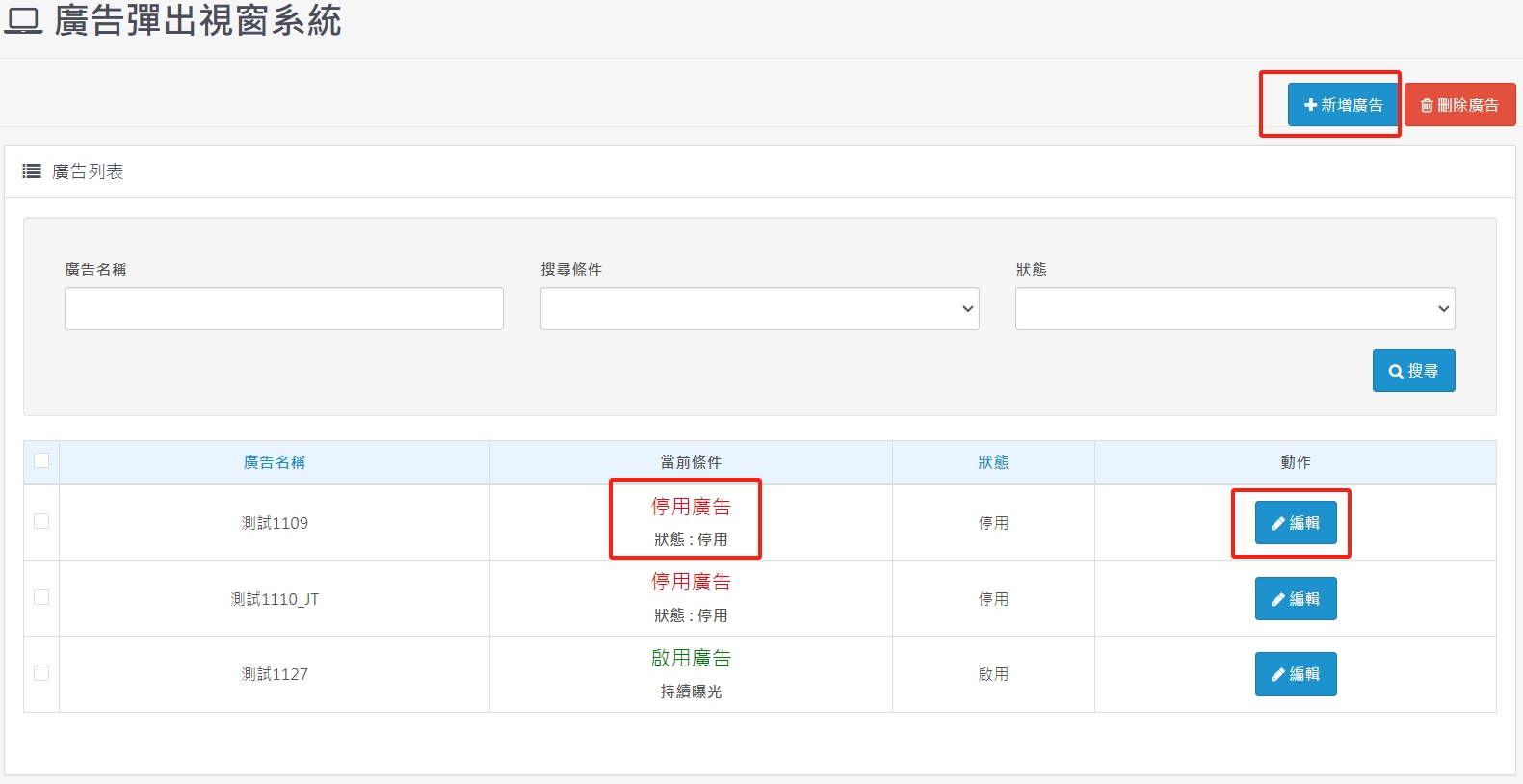
1. The status must be enabled. If there is no set time period, it must be turned off manually.
2. The name of the advertisement is to help you know the definition of the advertisement. The advertisement name will not be displayed in the front desk.
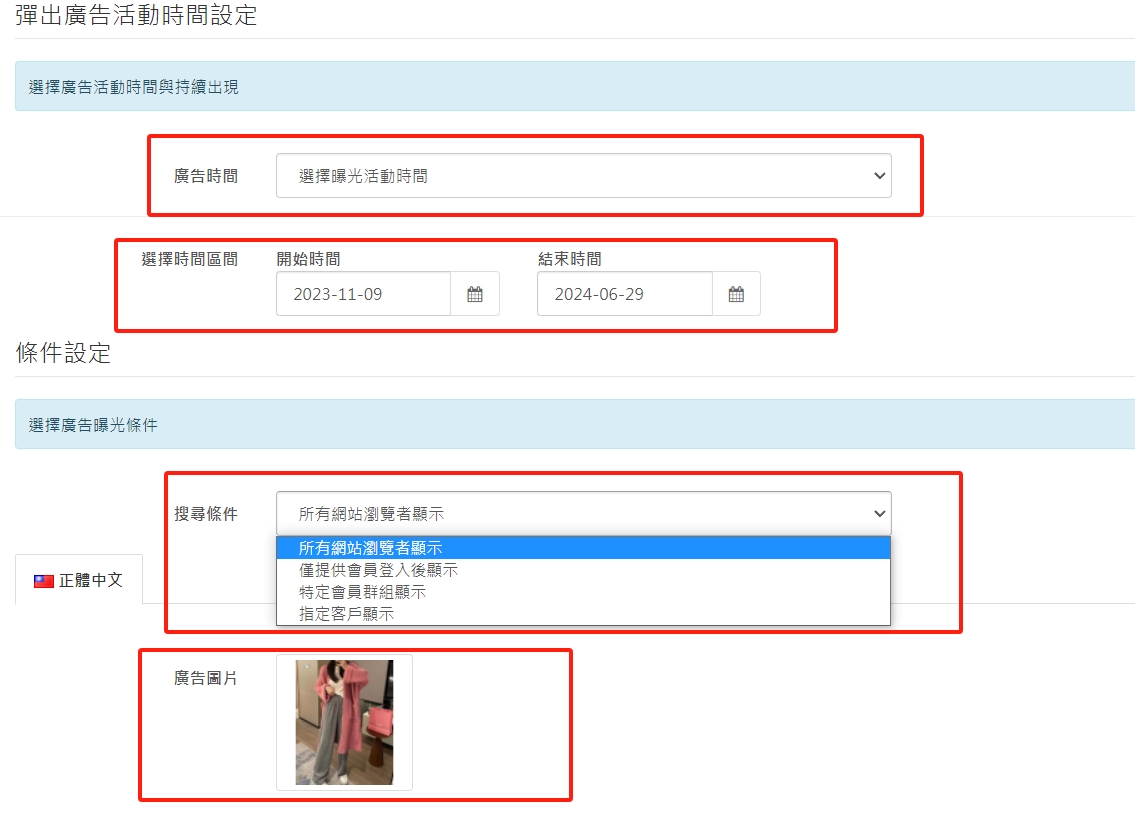
3. The advertising time can be divided into two states: periodic exposure or continuous exposure.
4. Advertising exposure conditions can give different advertising exposures to different members, or you can only see the ads after logging in. Specify customer display. This is to give specific ads to high-spending customers.
5. Choose which advertising image you want to place.
6. A variety of advertising projects can be created to provide different advertisements for different customer groups, and can also be targeted for exposure during festivals.
There are no products to list in this category.
