
Brand management
1. Brand Management Instructions
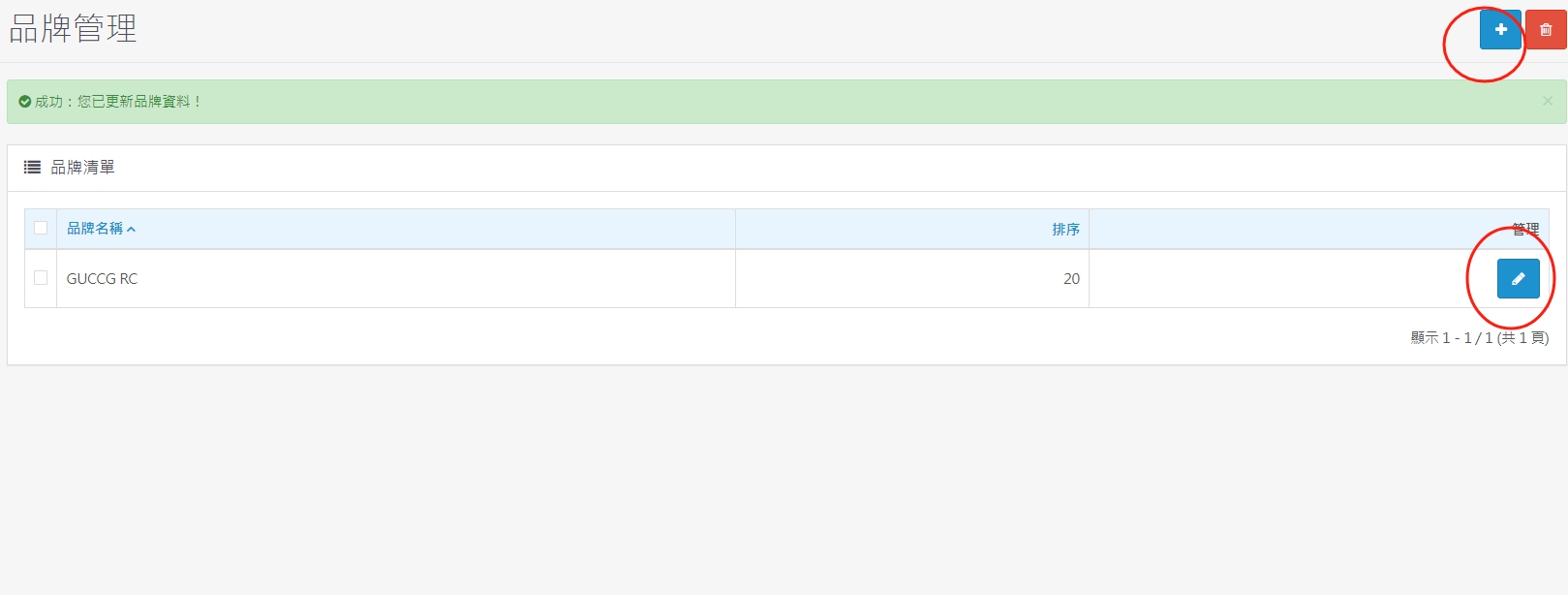
1. The + in the upper right corner is a new brand
2. The red box in the lower right corner is the edit brand content description
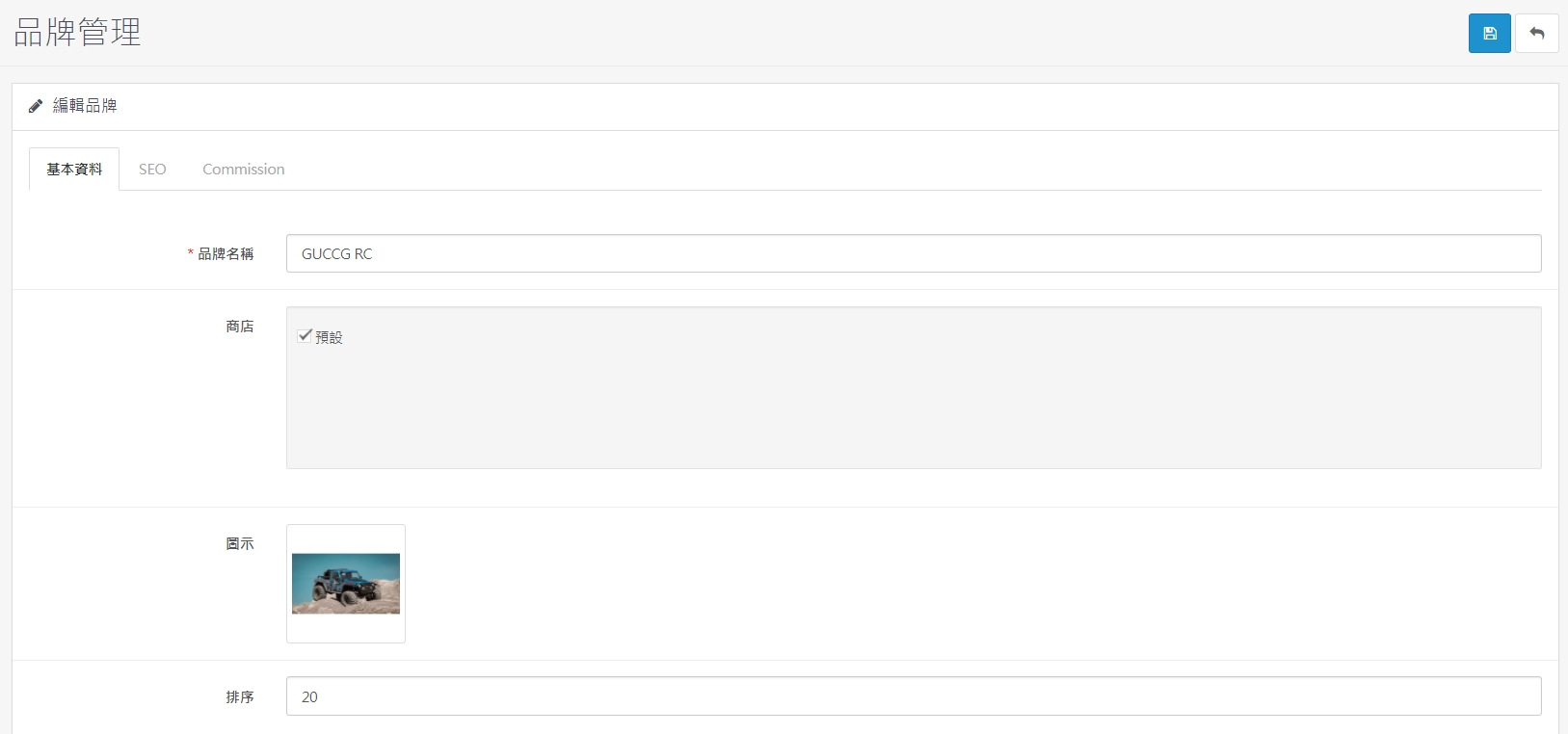
3. Edit brand-basic information
Upload the brand name and brand image, the smaller the number in the sorting part is in front, the larger the number is in the back
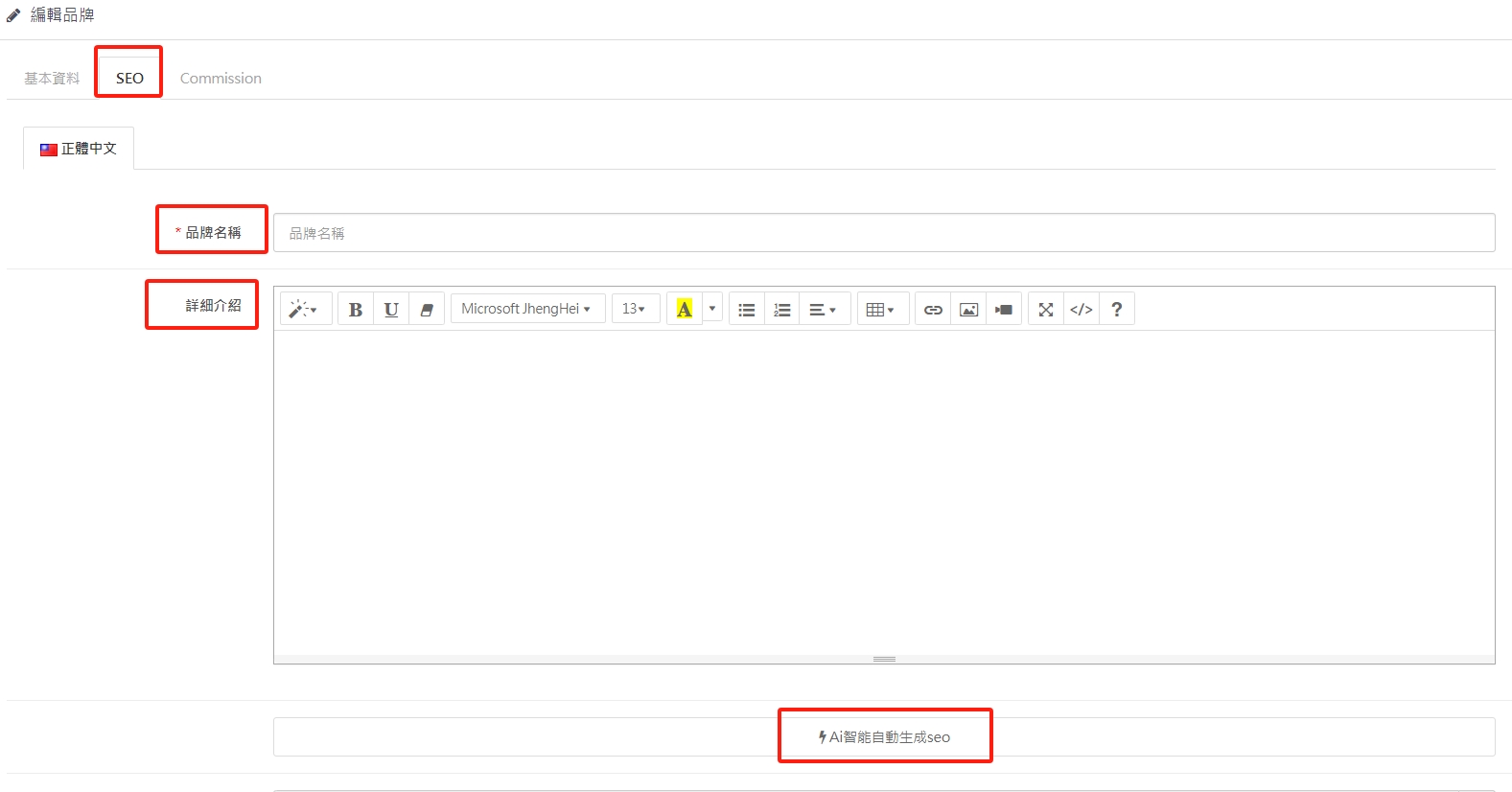
4. Edit brand-SEO information
Brand name and detailed introduction. After inputting, press Ai smart to automatically generate SEO, which automatically completes editing of all fields of keywords. The clearer the text description, the stronger Google keyword ranking will be.
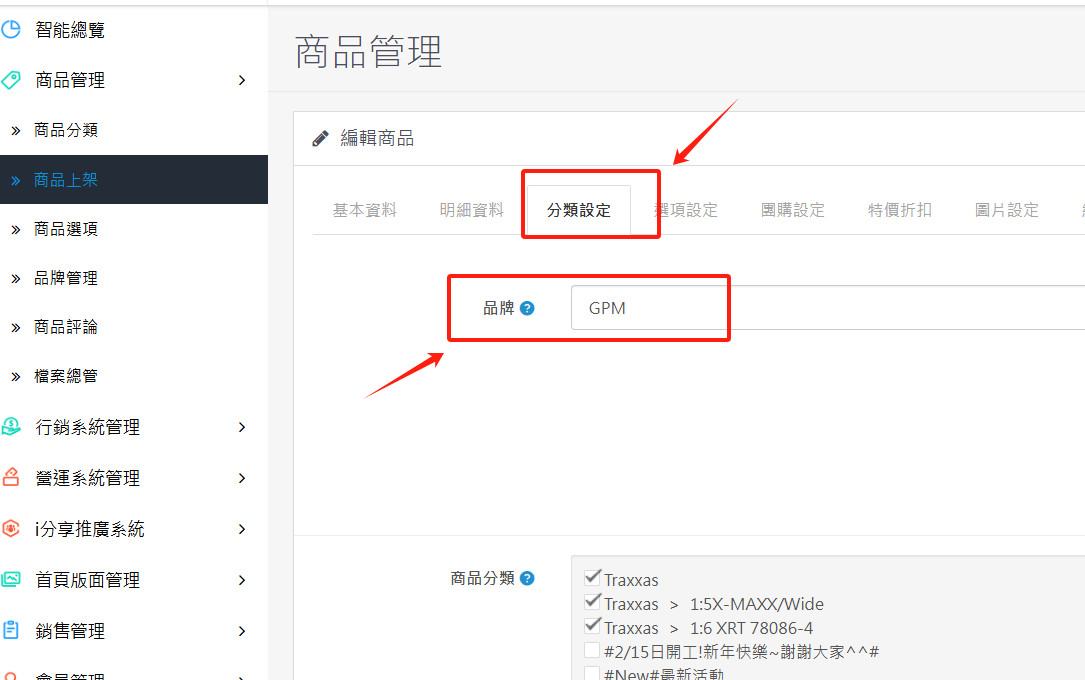
5. You can choose the brand when the product is put on the shelves
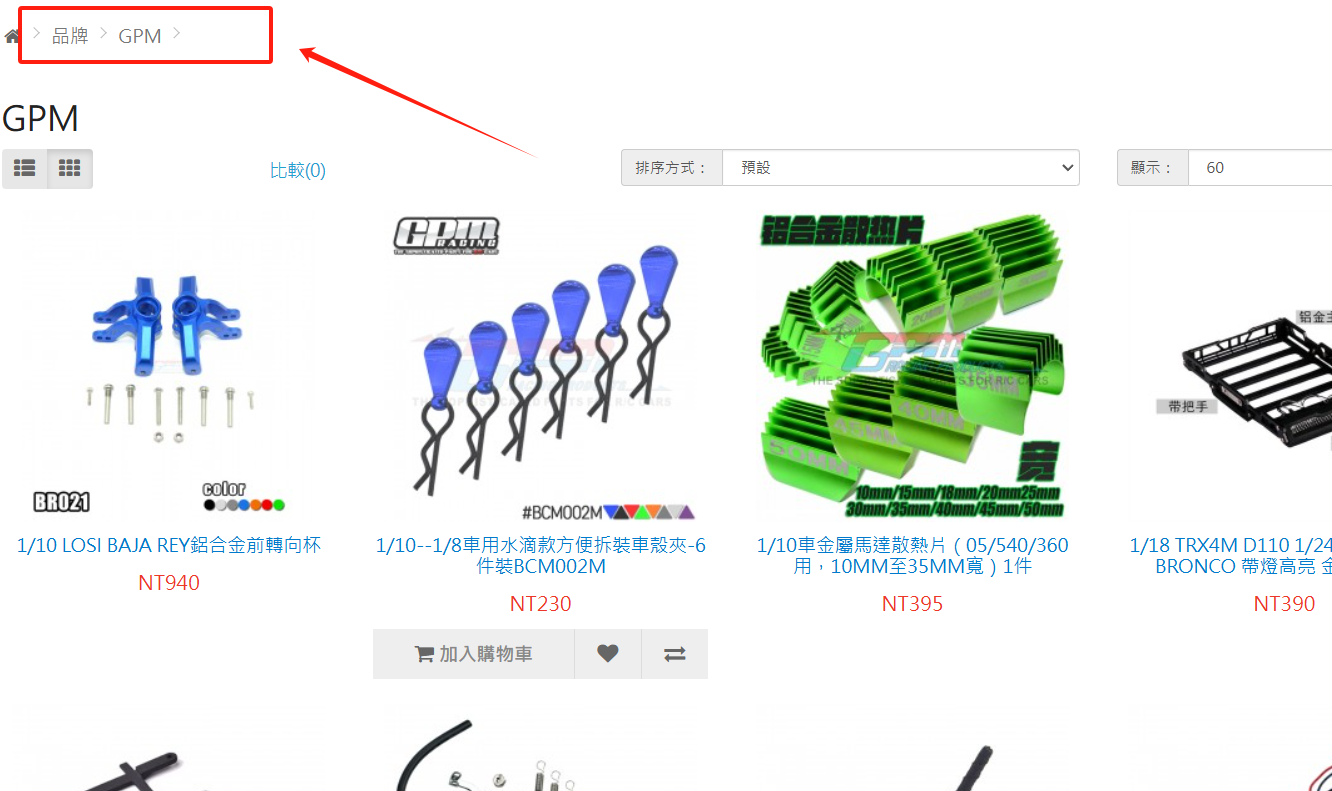
7. A page where all front-end brands are presented together
There are no products to list in this category.
