
sales management
Sales Management Instructions
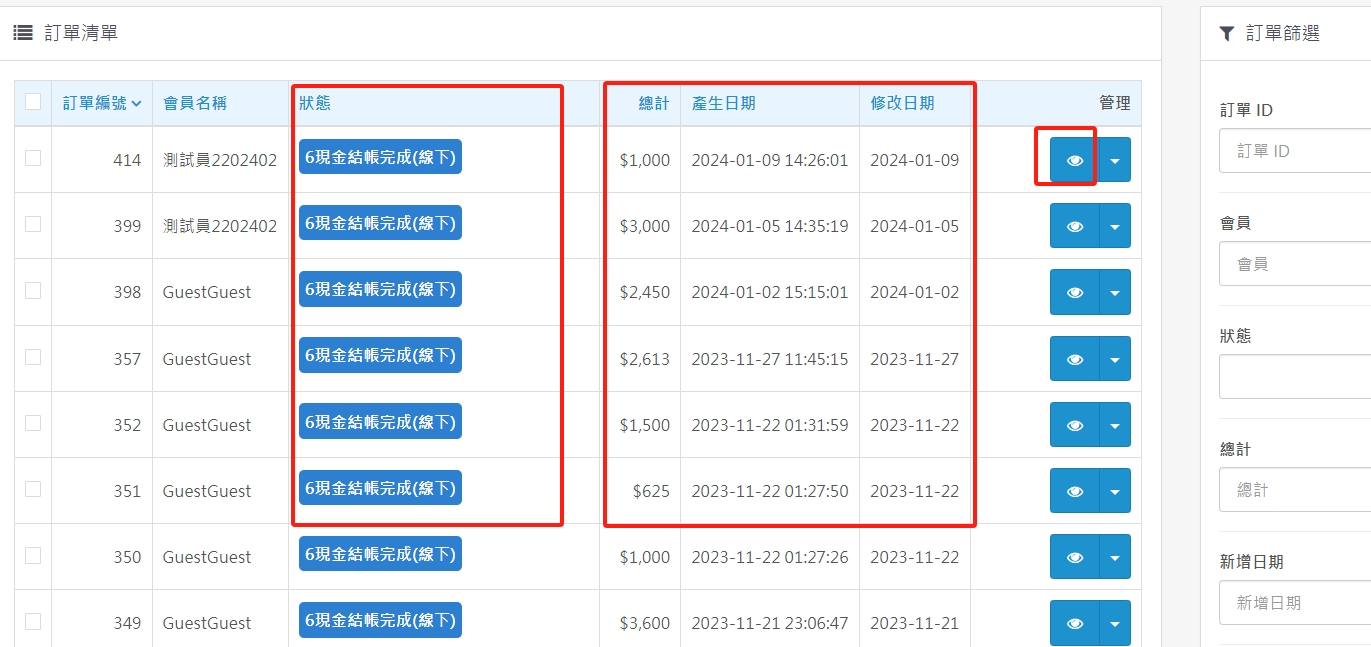
(1). The red box shows the mode of each transaction, online (card swiping, remittance), offline (cash, card swiping, mobile payment), for easy management.
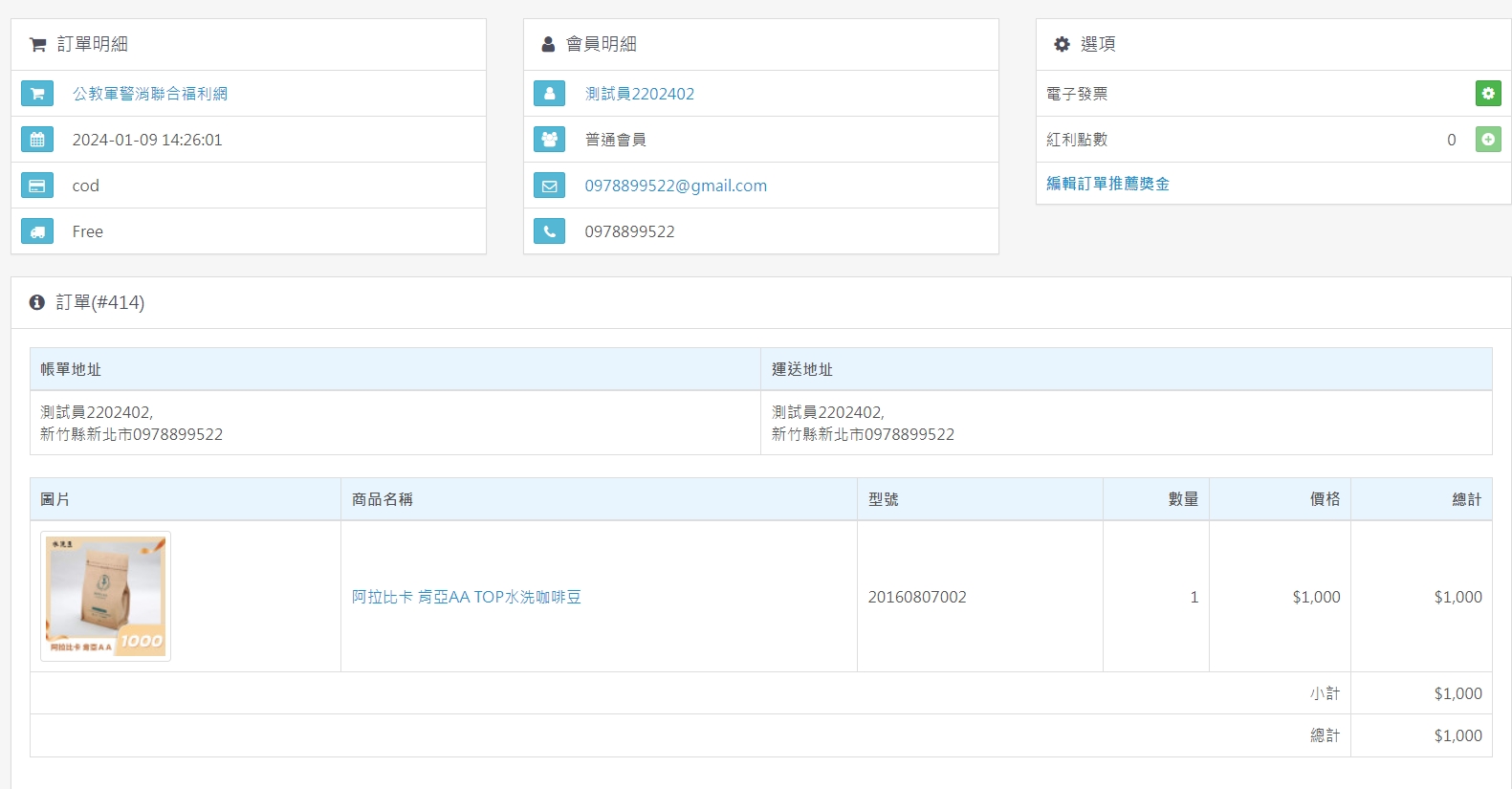
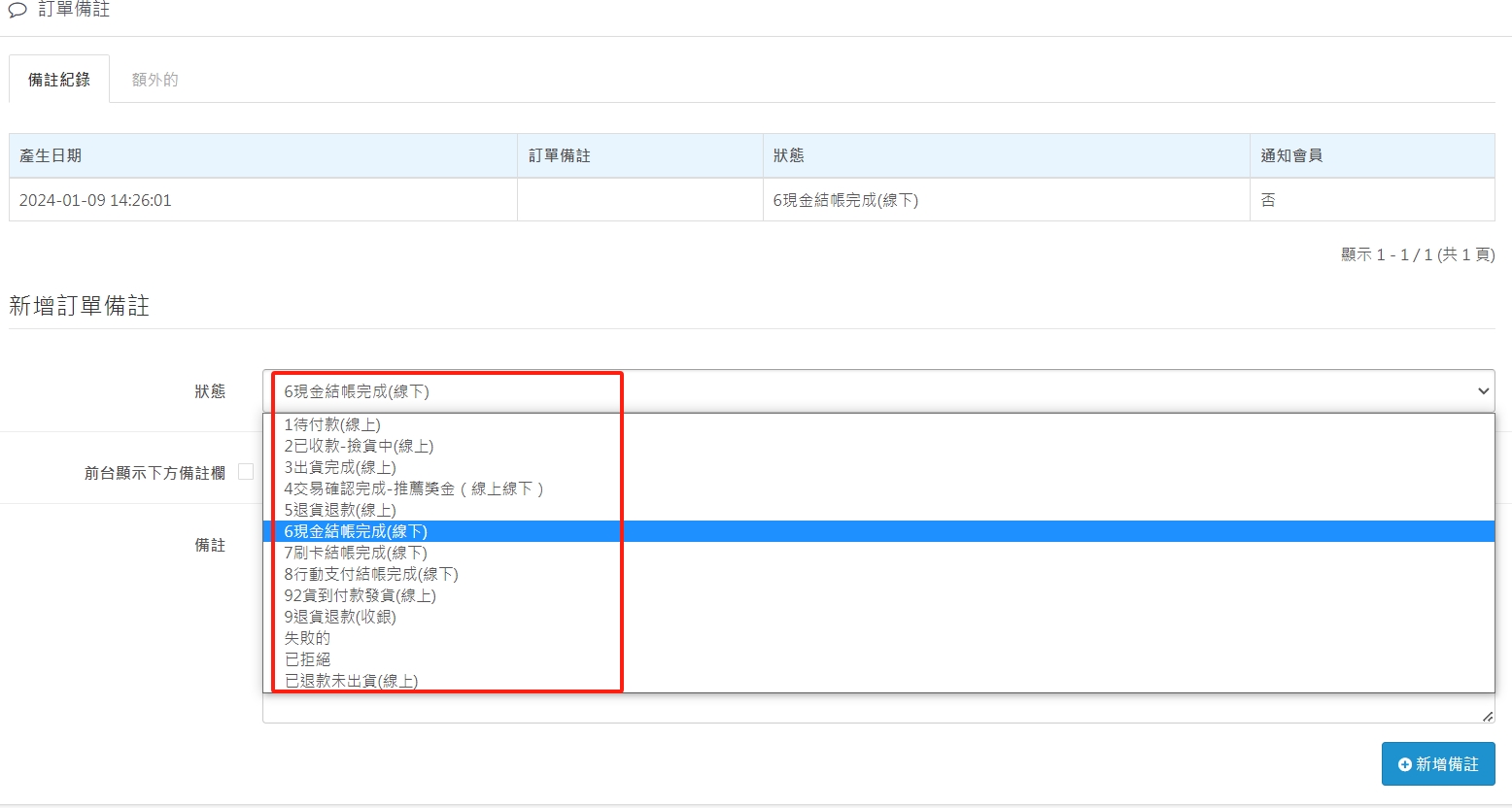
(2). Click on the red box of management on the right to modify the order status and edit notes, as shown in the second picture.
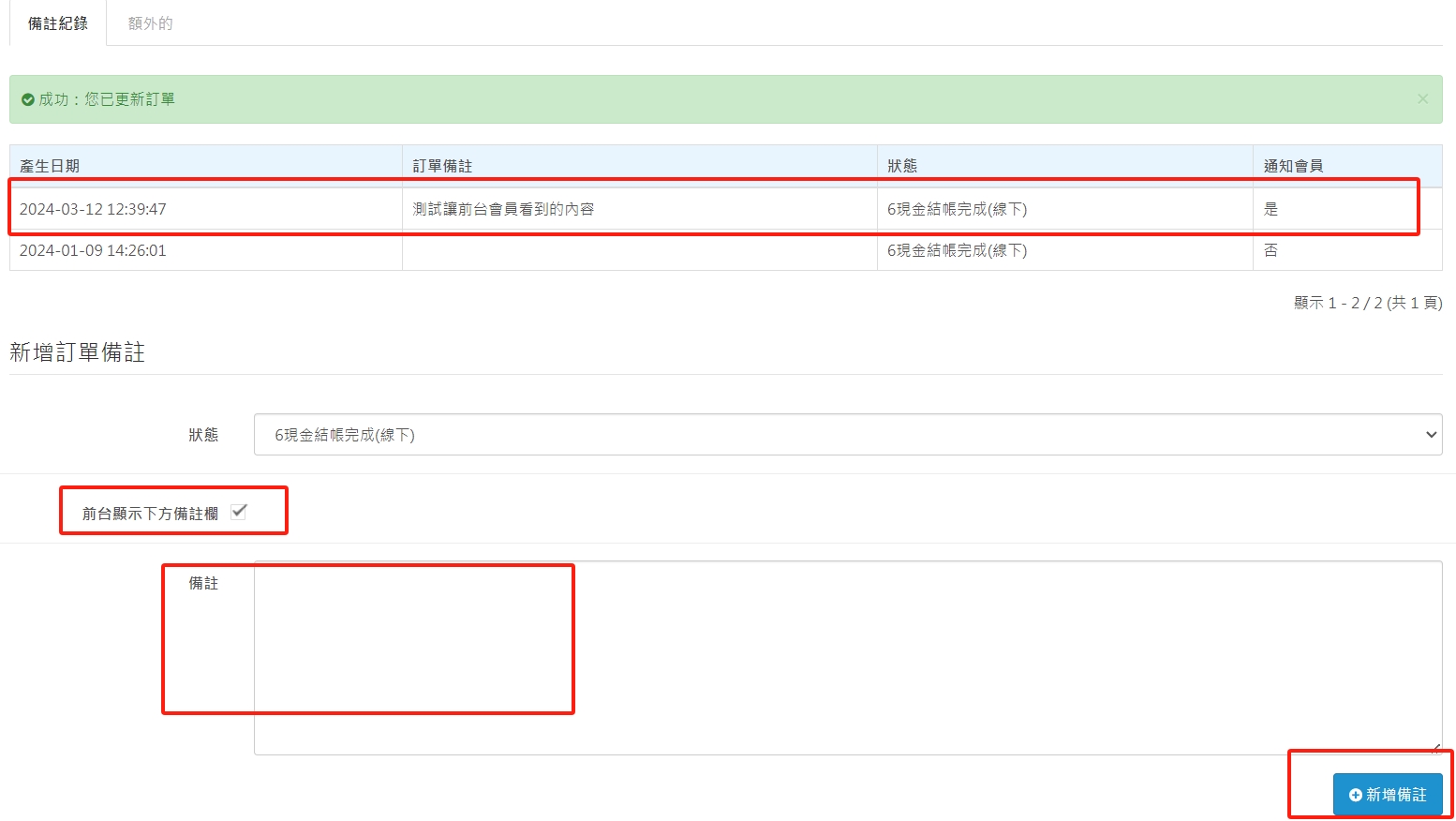
(3). Every time you modify the order status, be sure to click "Add Remarks" in the lower right corner.
(4). The front desk displays the remarks column below. As long as you check the box and enter text in the remarks field below, the front desk members can see it below the order.
There are no products to list in this category.
