
⭐SMTP password setting
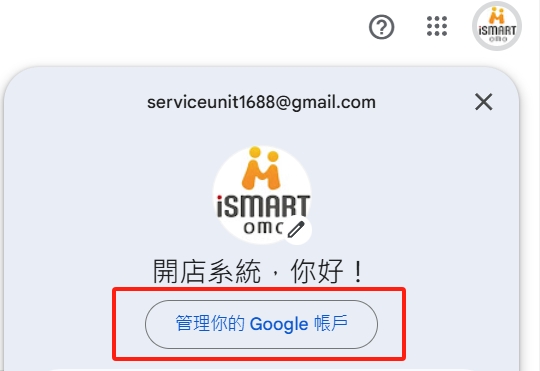
1. Choose to manage your GOOGLE account
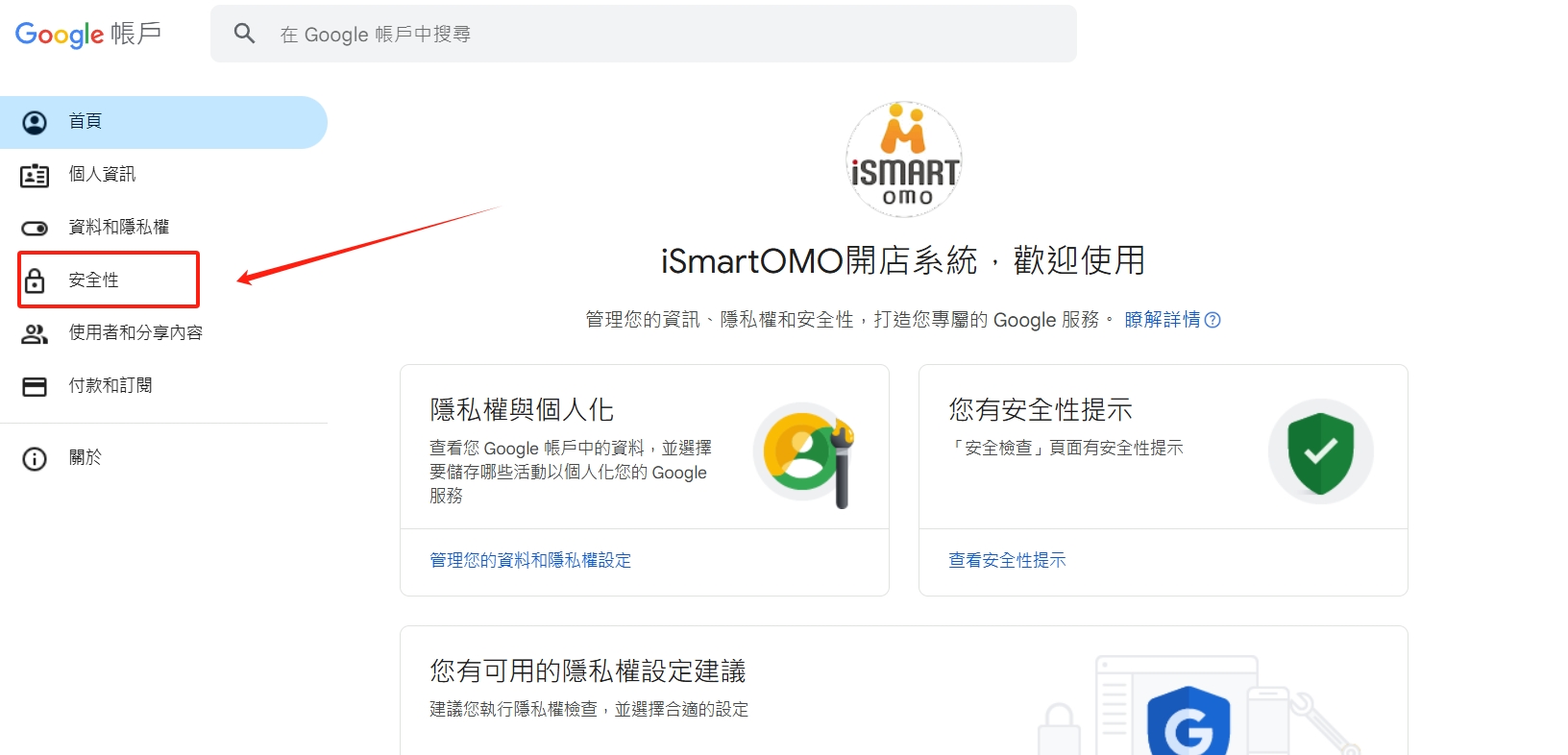
2. Select security
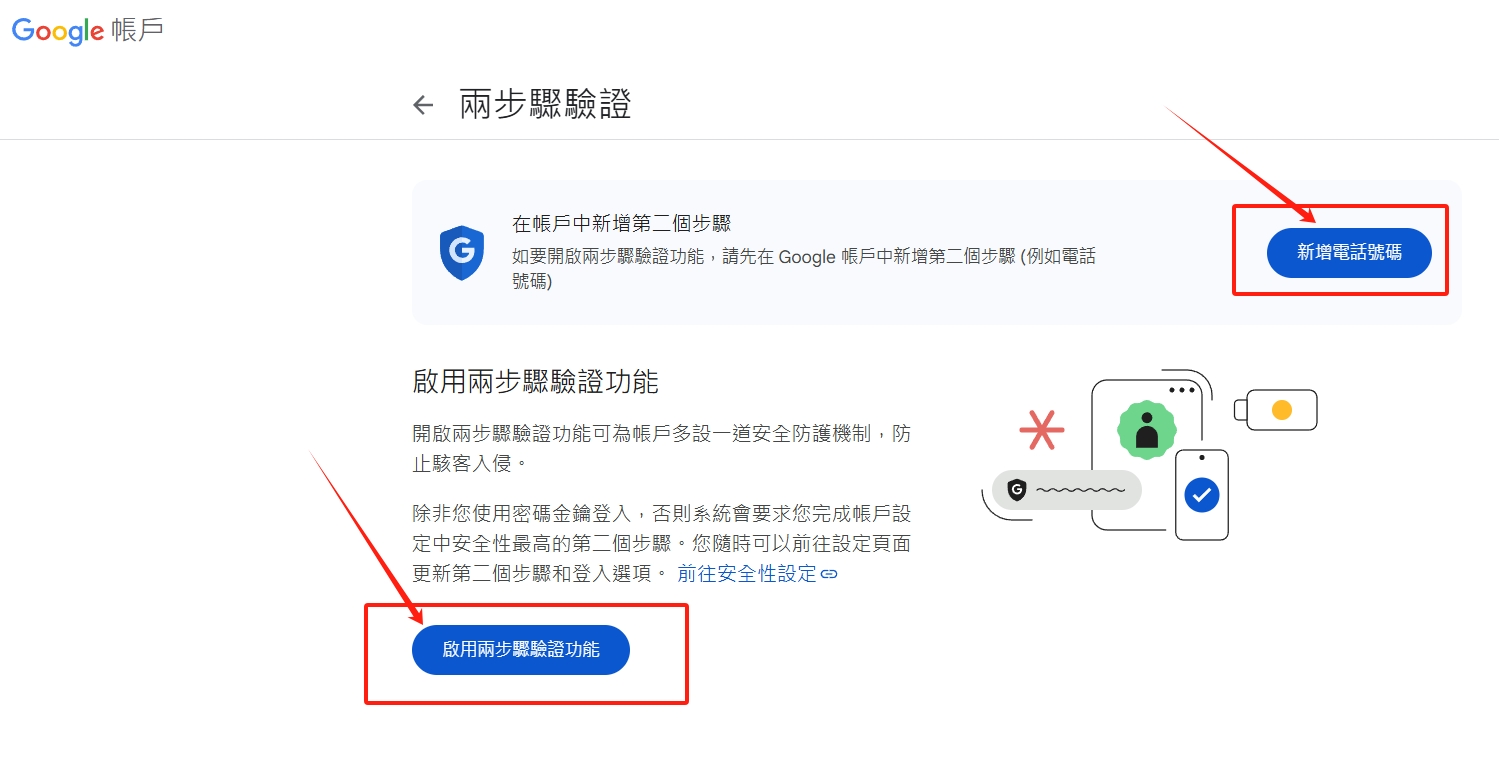
3. Select two-step verification

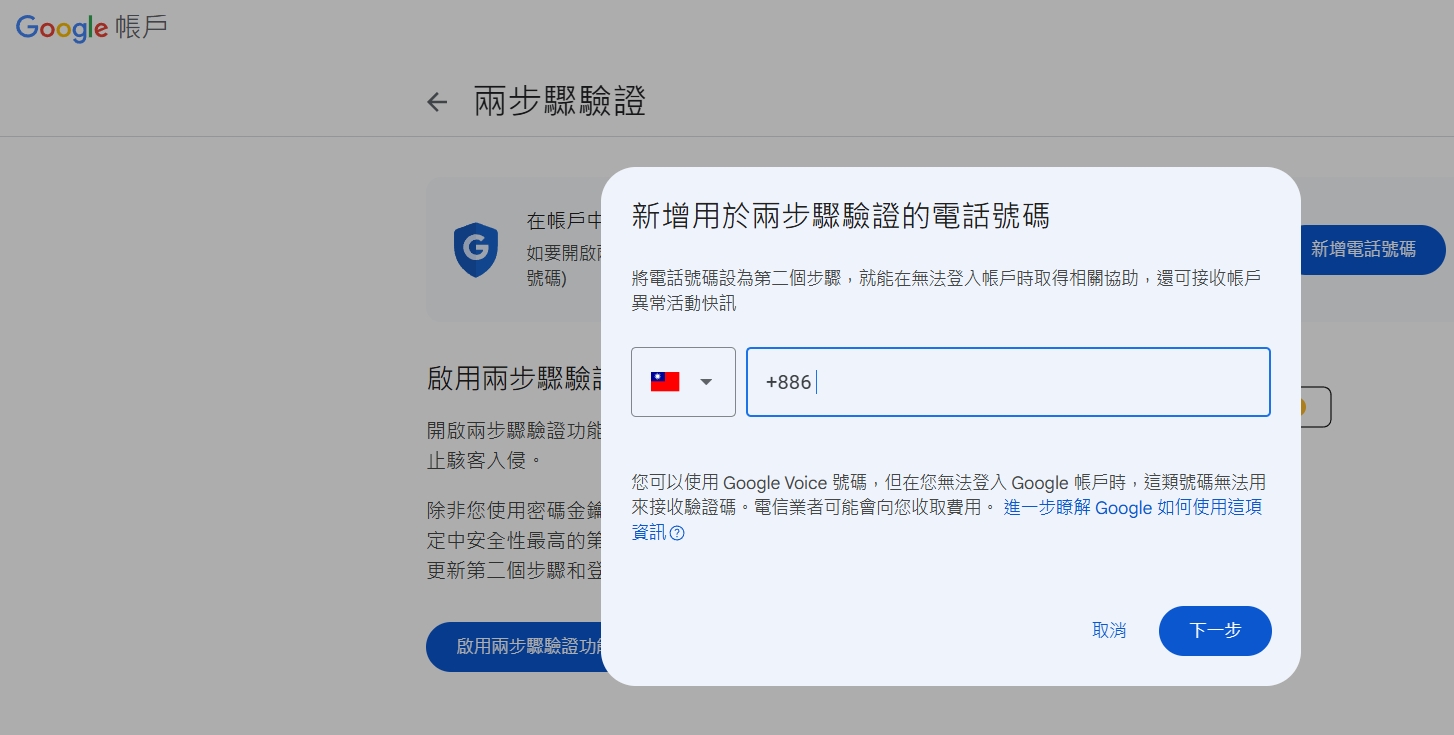
4. Add a phone number first, and then enable the two-step verification function
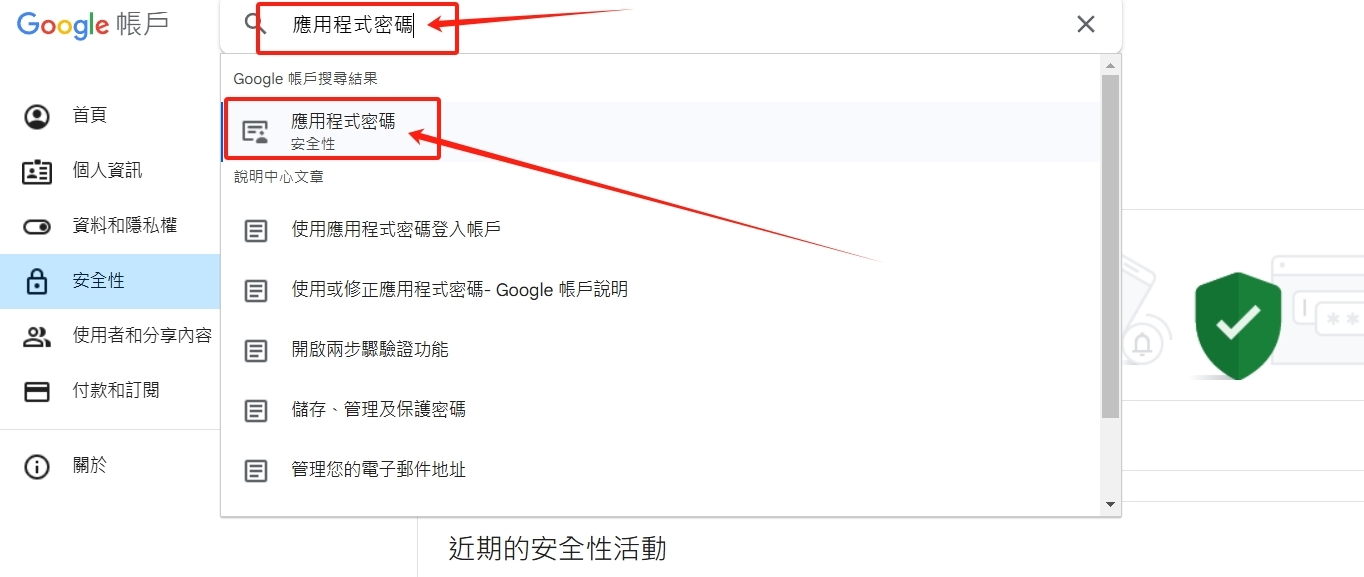
5. Return to the previous page to the account management screen, enter the application password in the search field, and select the red box option below
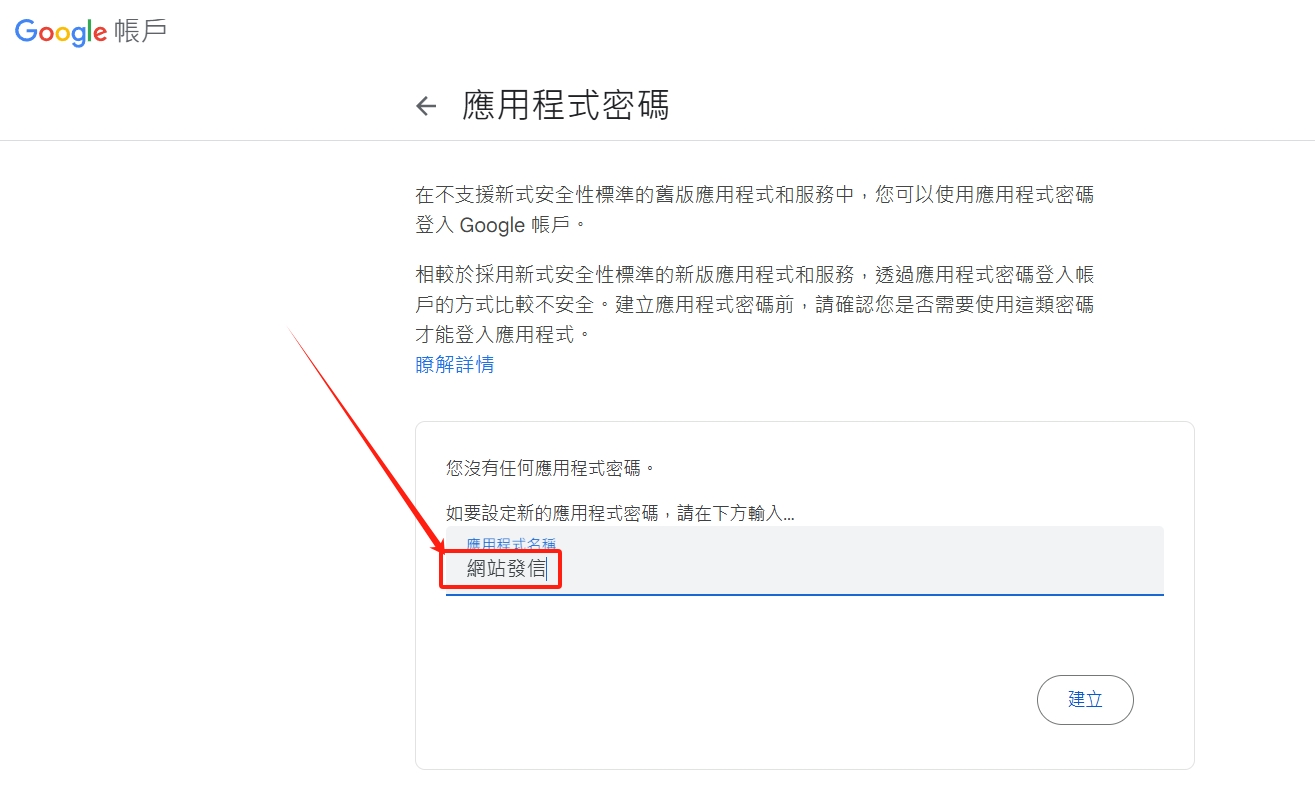
6. Enter the device name in the red box, such as: website sending, opening a store, web..., etc., and finally click Create.
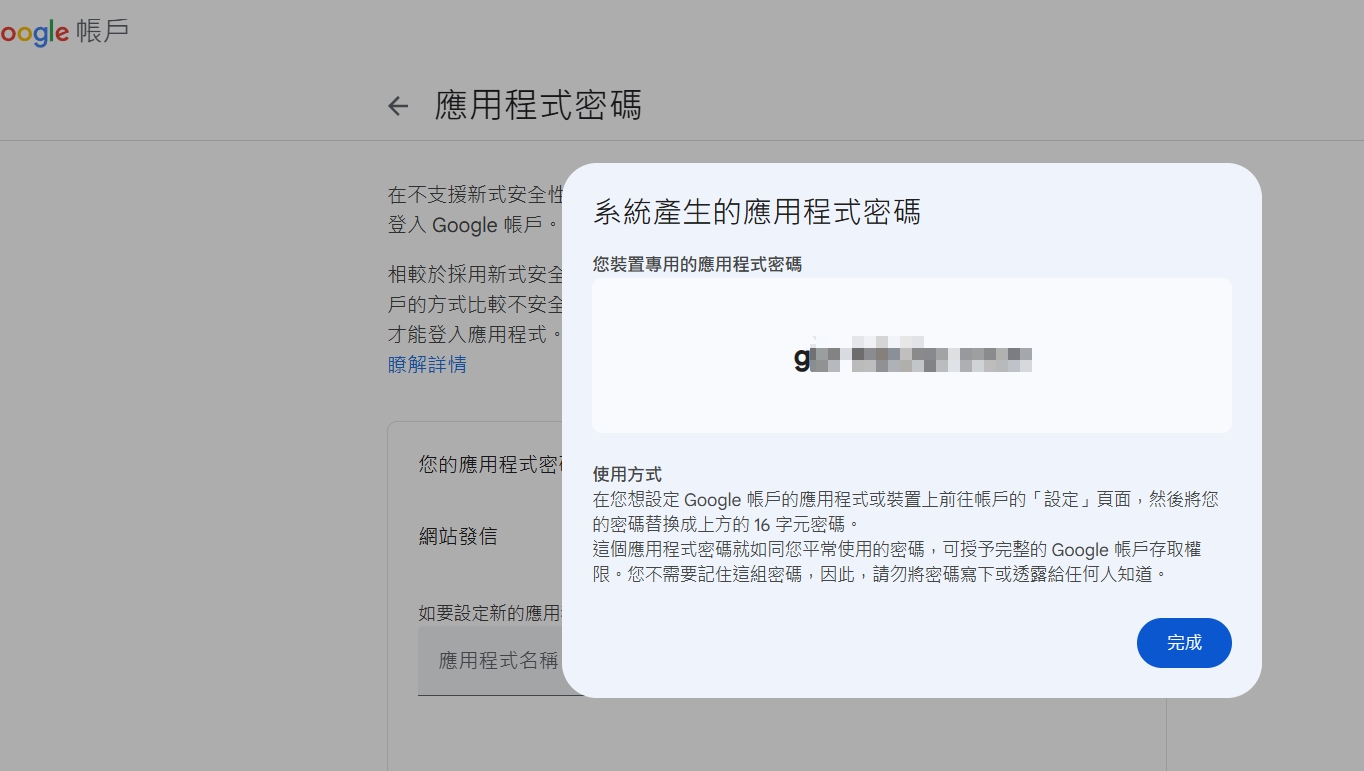
7. This is the SMTP password. Please copy the password and do not close this screen.
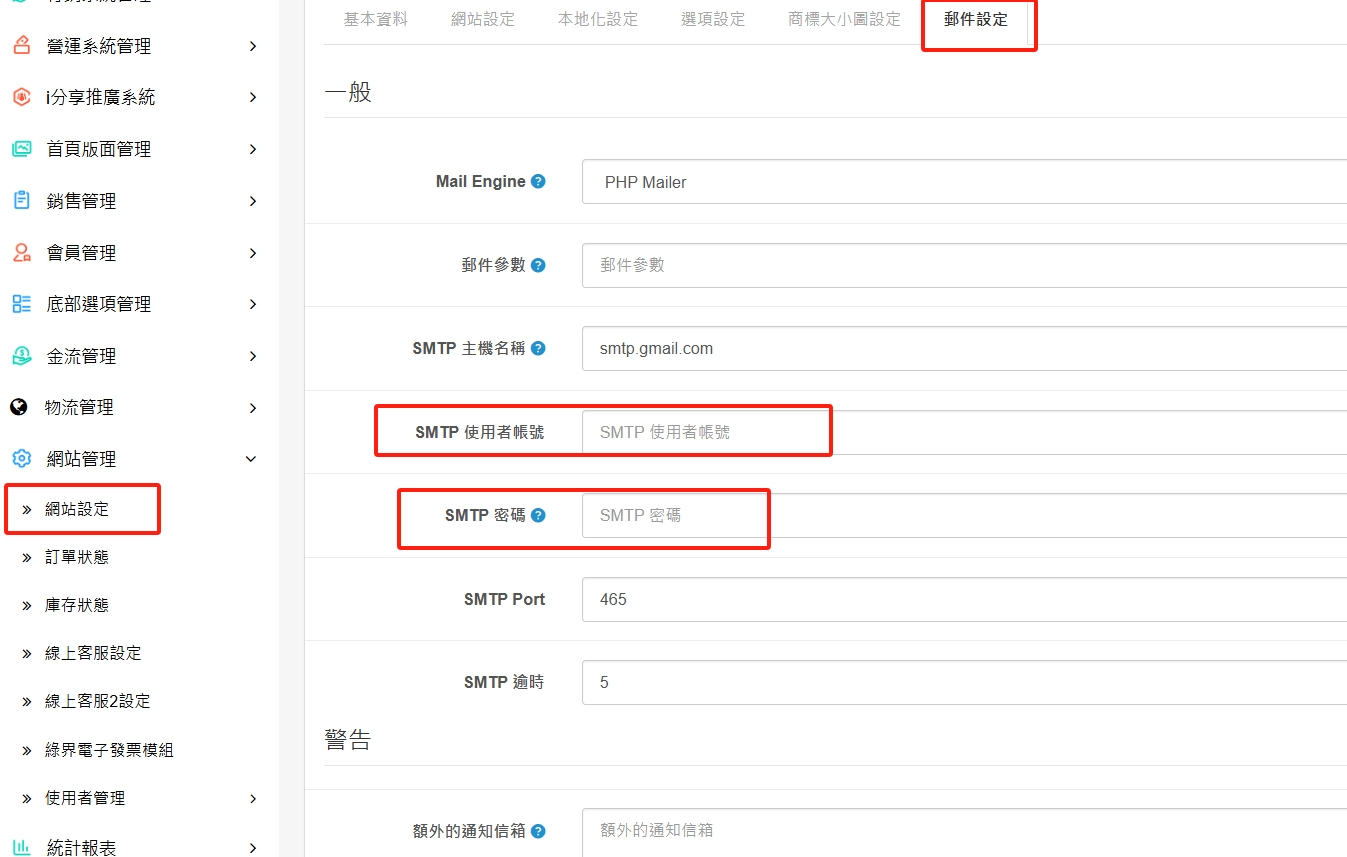
8. After entering the website management > website settings > email settings page, enter exactly the same content as the picture below.
Mail Engine please choose: PHP Mailer
SMTP host name: smtp.gmail.com
SMTP user account: Please enter your GMAIL mailbox.
SMTP password: Please enter the password generated in the above steps.
SMTP PORT: Please enter the number 465
SMTP PTT: Please enter the number 5
Additional notification mailbox: Please enter the mailbox of other managers to facilitate mutual reminder and management.
9. If you have any other questions above, please contact online customer service
There are no products to list in this category.
