
Line Pay
Line Pay setting instructions
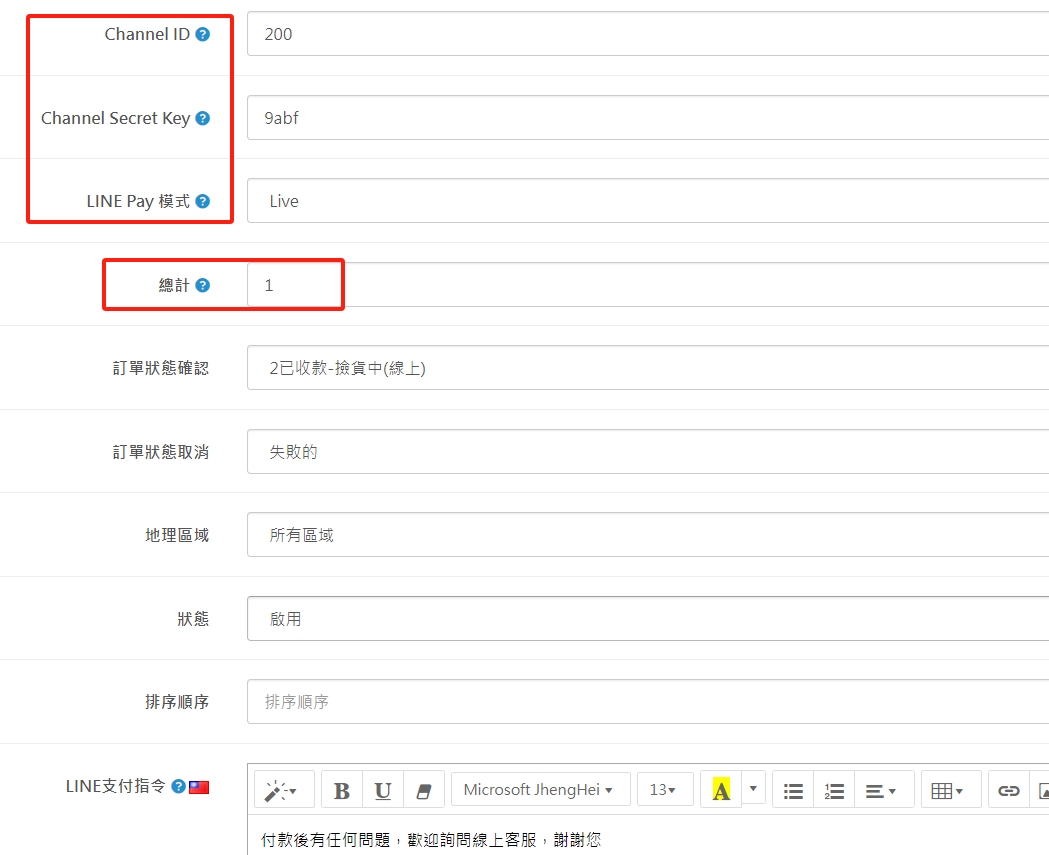
(1). For the part in the red box, you need to apply for online payment and collection permission from LINE, and then paste it in according to the information provided by LINE.
(2).LINE PAY mode means it can be tested first (SANDBOX) or officially launched directly (LIVE).
(3). Total means how much amount is acceptableLINE PAY payment, payment instruction means the reminder text that will pop up when receiving payment.
(4). Other settings can be adjusted according to actual operating conditions.
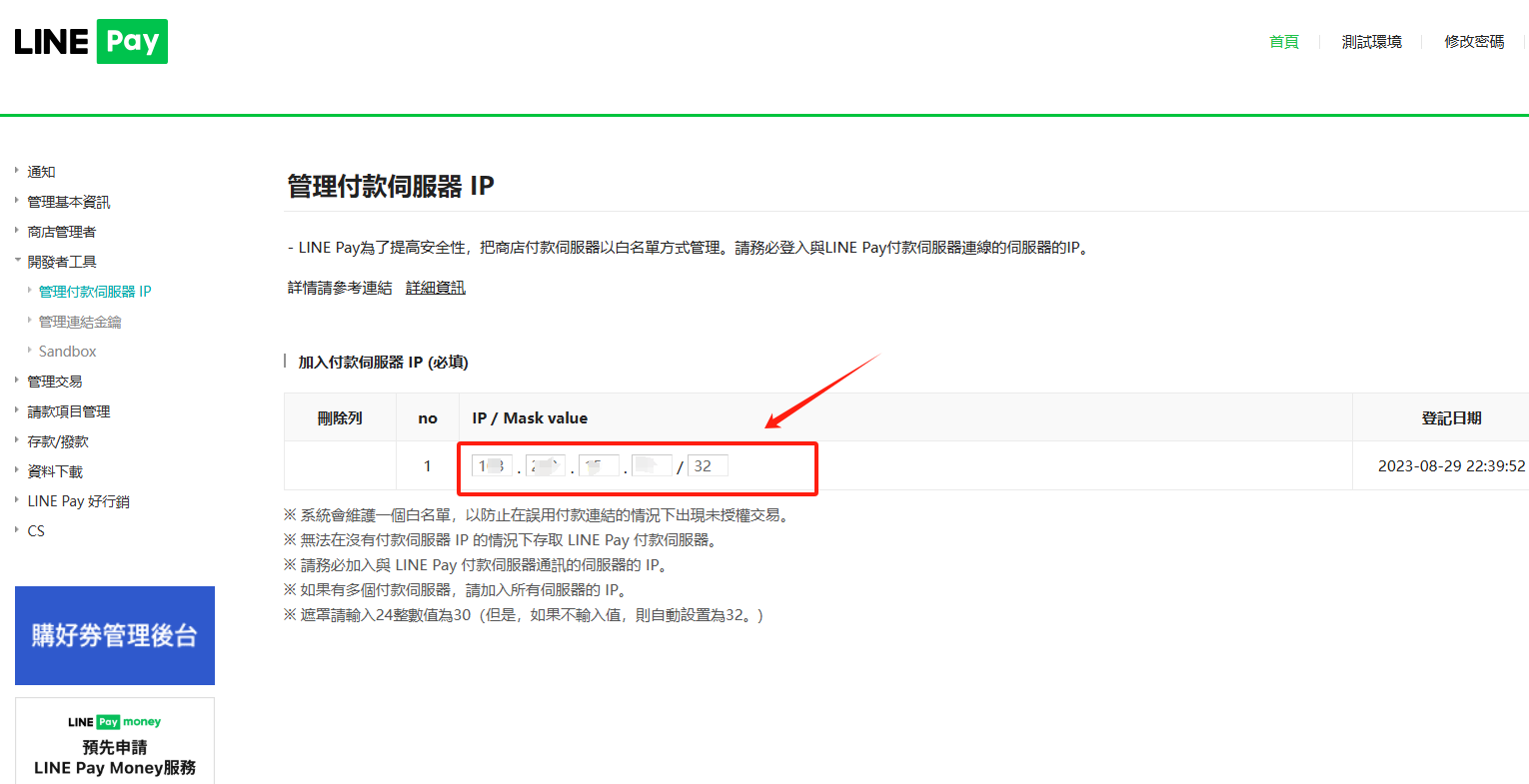
(5).atLINEPAY's store's developer tools>Manage Payment ServerIPFill in the customer service here to give youIP
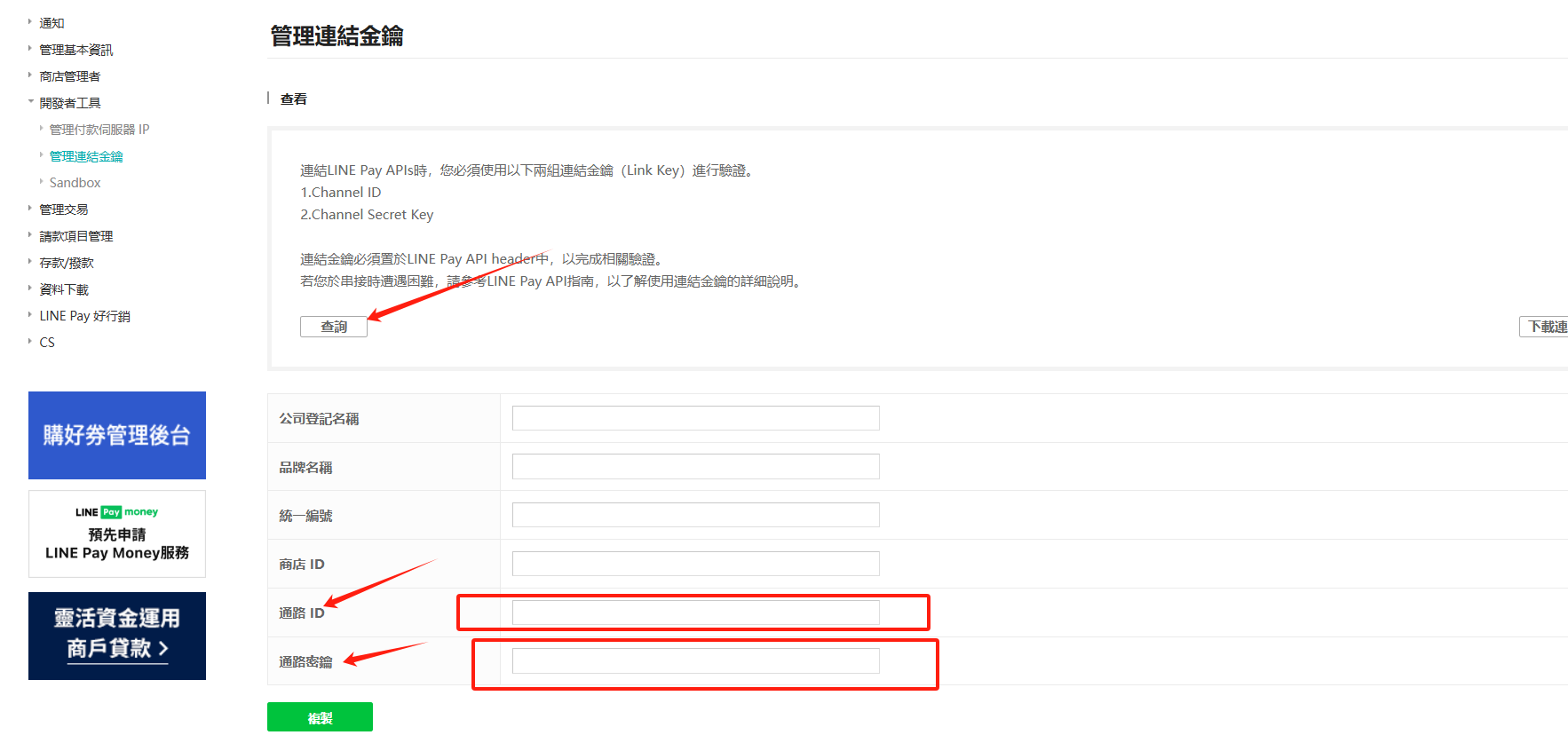
(6). Developer Tools>Manage the link key, query LINE and it will verify it with you. Then the code for the channel ID and channel key will appear below, and then paste it into the system background1.Channel ID,2.Channel Secret Key, paste it to the corresponding field in the backend of the official website, and selectLIVEis officially enabled
There are no products to list in this category.
