
Whole-store discount setting
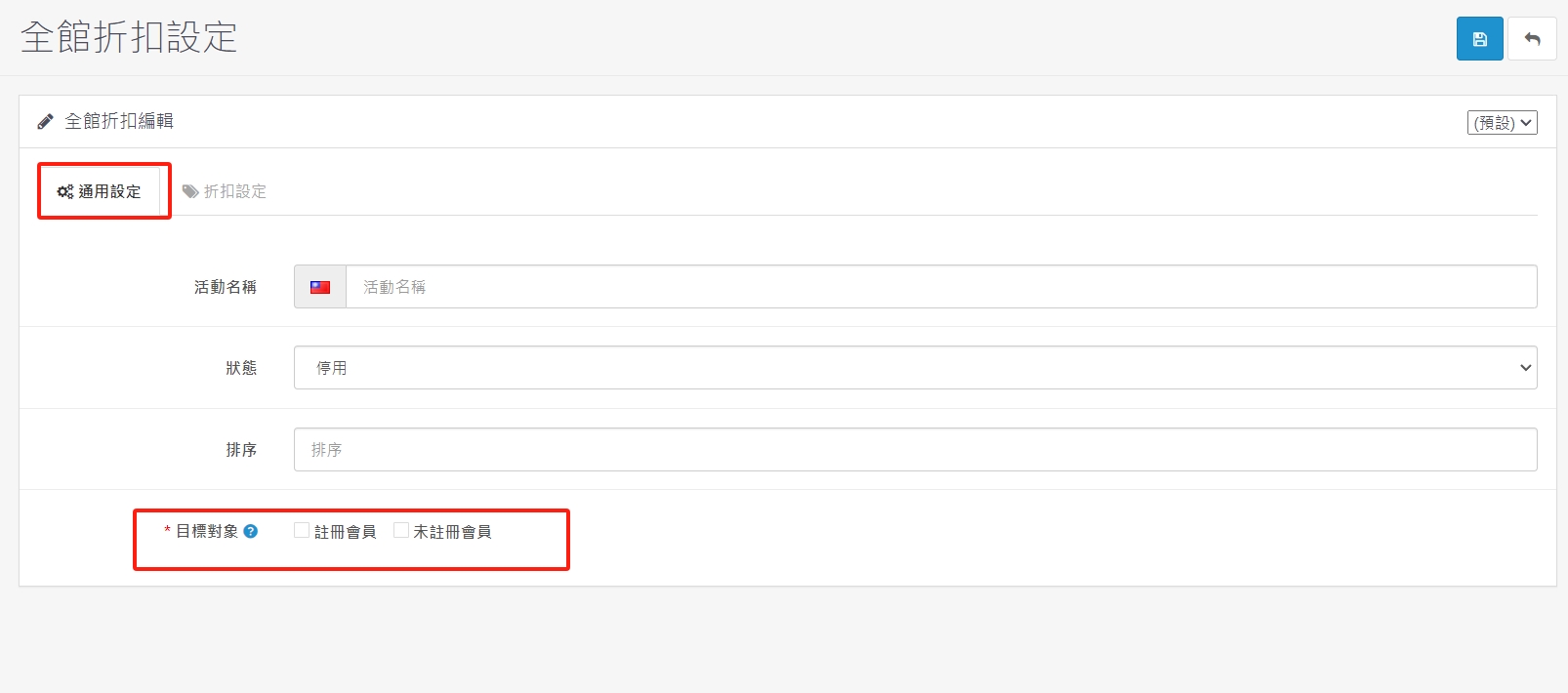
1. First enter the activity name in the general settings, the status is enabled, and it is recommended to select registered members.
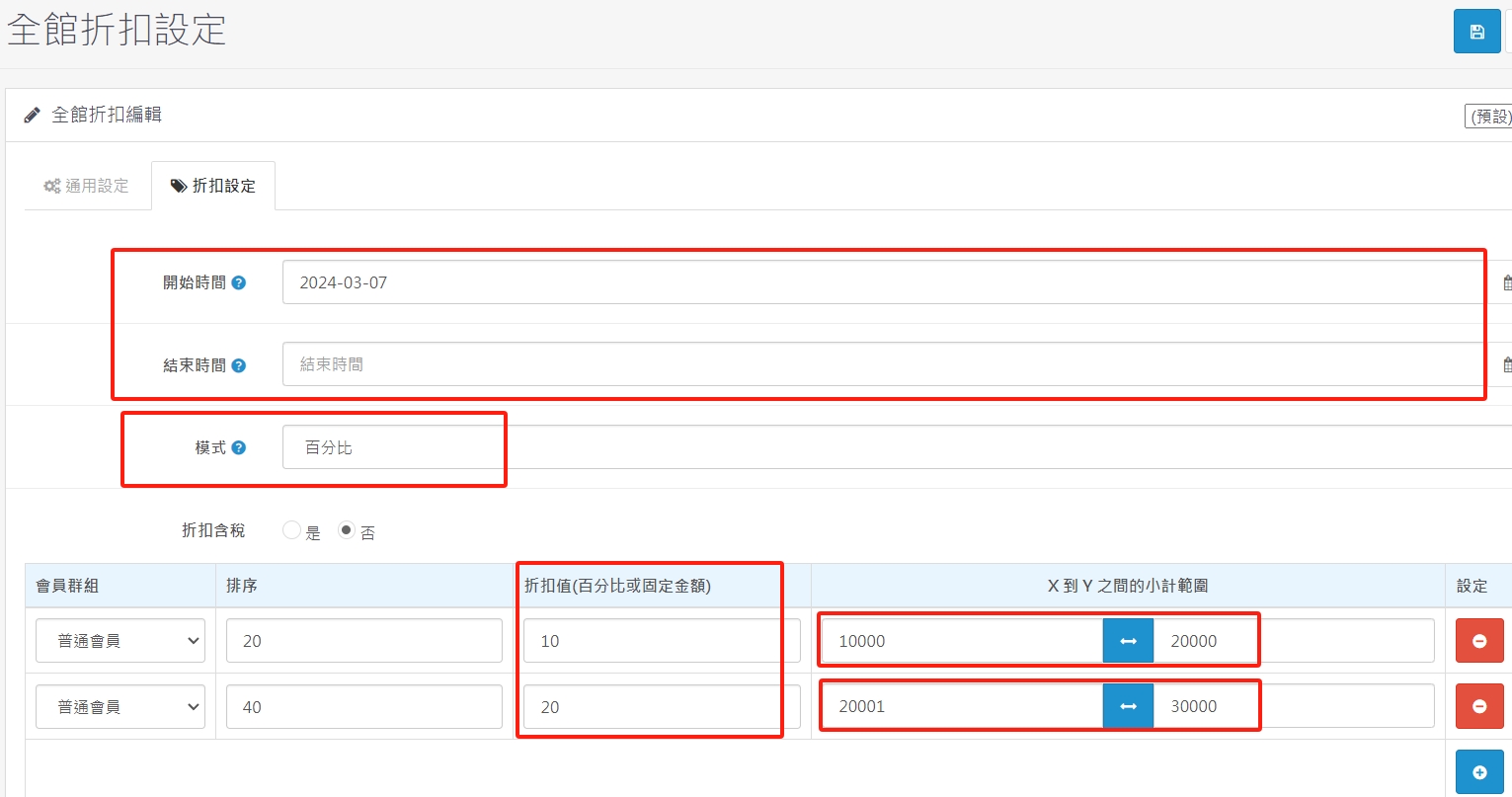
2. On the discount setting page, enter the start time and end time, and select percentage or fixed amount as the mode.
3. You can choose the member group corresponding to the discount. For example, the VIP discount for the entire department store is only for the VIP member group concept.
4. The subtotal range between
5. A discount of 10 means a 10% discount, and a discount of 20 means a 20% discount. The higher the total consumption amount, the greater the discount.
There are no products to list in this category.
