
Membership upgrade system
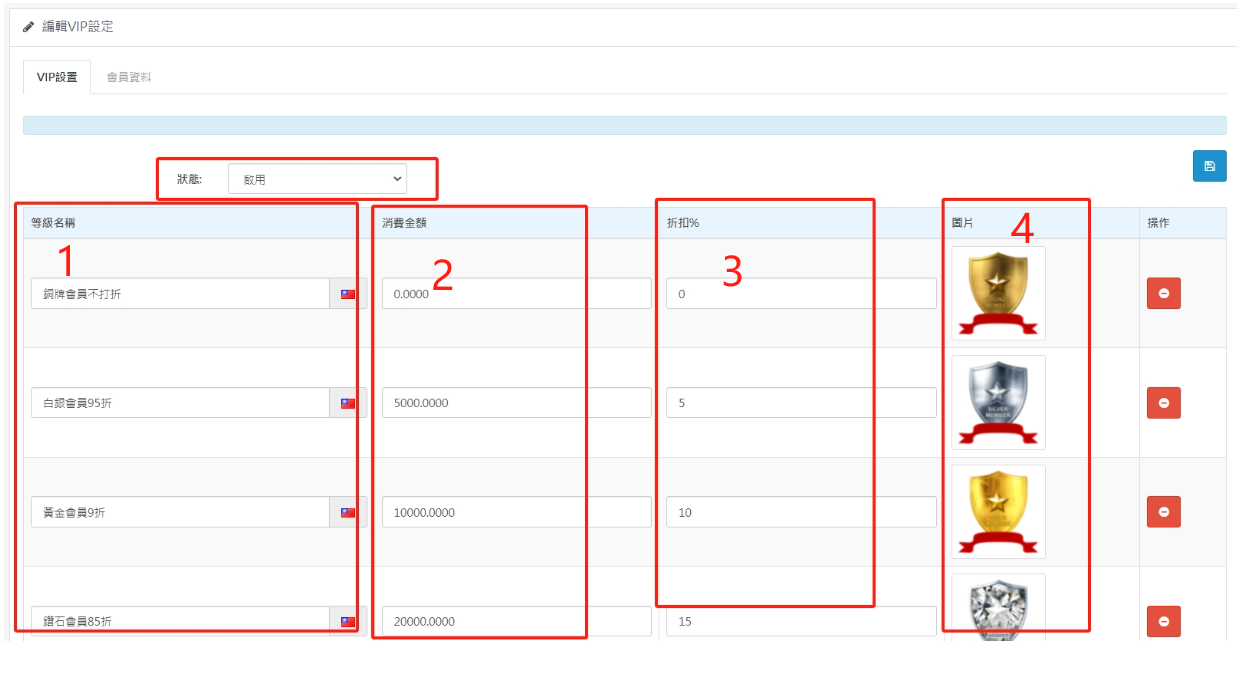
1. VIP level condition setting
1. The level name can be named according to your business.
2. The consumption amount refers to the membership upgrade when the input amount is reached.
3. Discount percentage If you want a 10% discount (90%), enter 10, which means 10% less.
4. You can upload any picture you want to display in the front-end picture style.
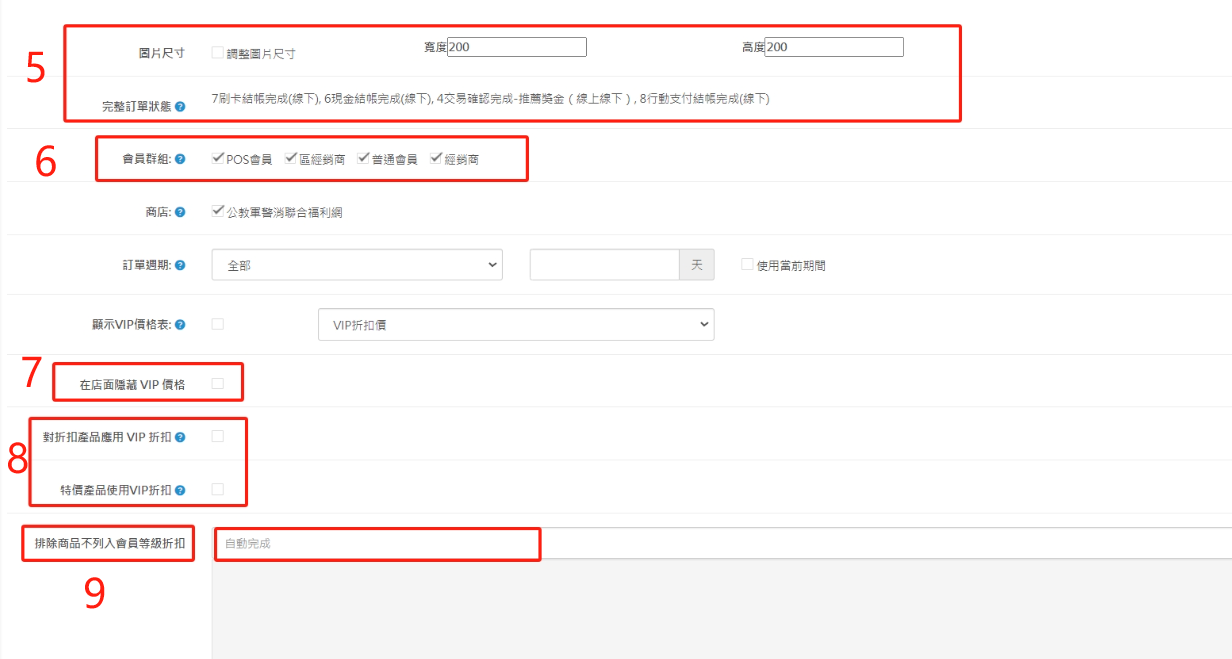
5. The size of the front-end upgrade image can be adjusted.
6. Member groups applicable to upgrade discounts
7. You can choose whether to hide the VIP price.
8. Do you agree to give member-level discounts to products that have already been discounted? This means that the original product is already discounted, and members will receive discounts and then discounts.
9. Excluding products means that after entering the product name in the automatic input field and clicking it, the product will no longer be included in the membership discount calculation.
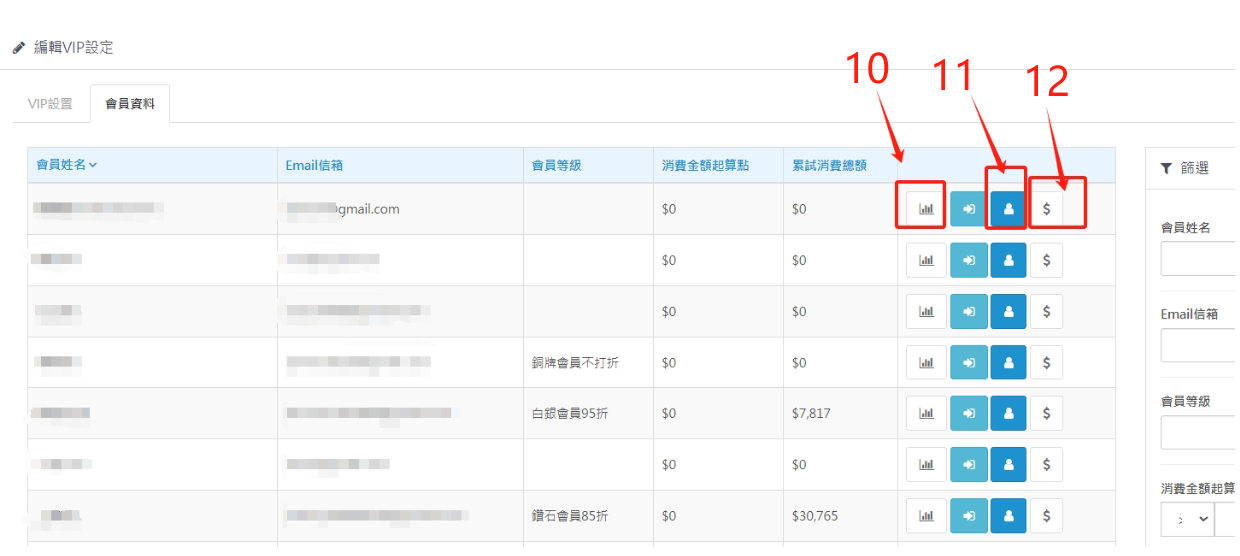
10. The first red box on the left is the level details, click on it to learn about the membership level status and details.
11. The second red box on the left is the member editor, who can edit member information.
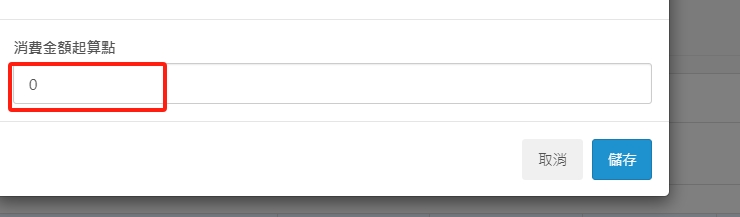
12. The first red box on the right is the starting point for editing the consumption amount, which means to manually upgrade the member. For example, the consumption condition of a silver member is to spend a cumulative consumption of 10,000 yuan. If you enter 10,000 yuan in the pop-up field in the figure below, the member will automatically start from the silver membership.
There are no products to list in this category.
