
Inventory barcode management
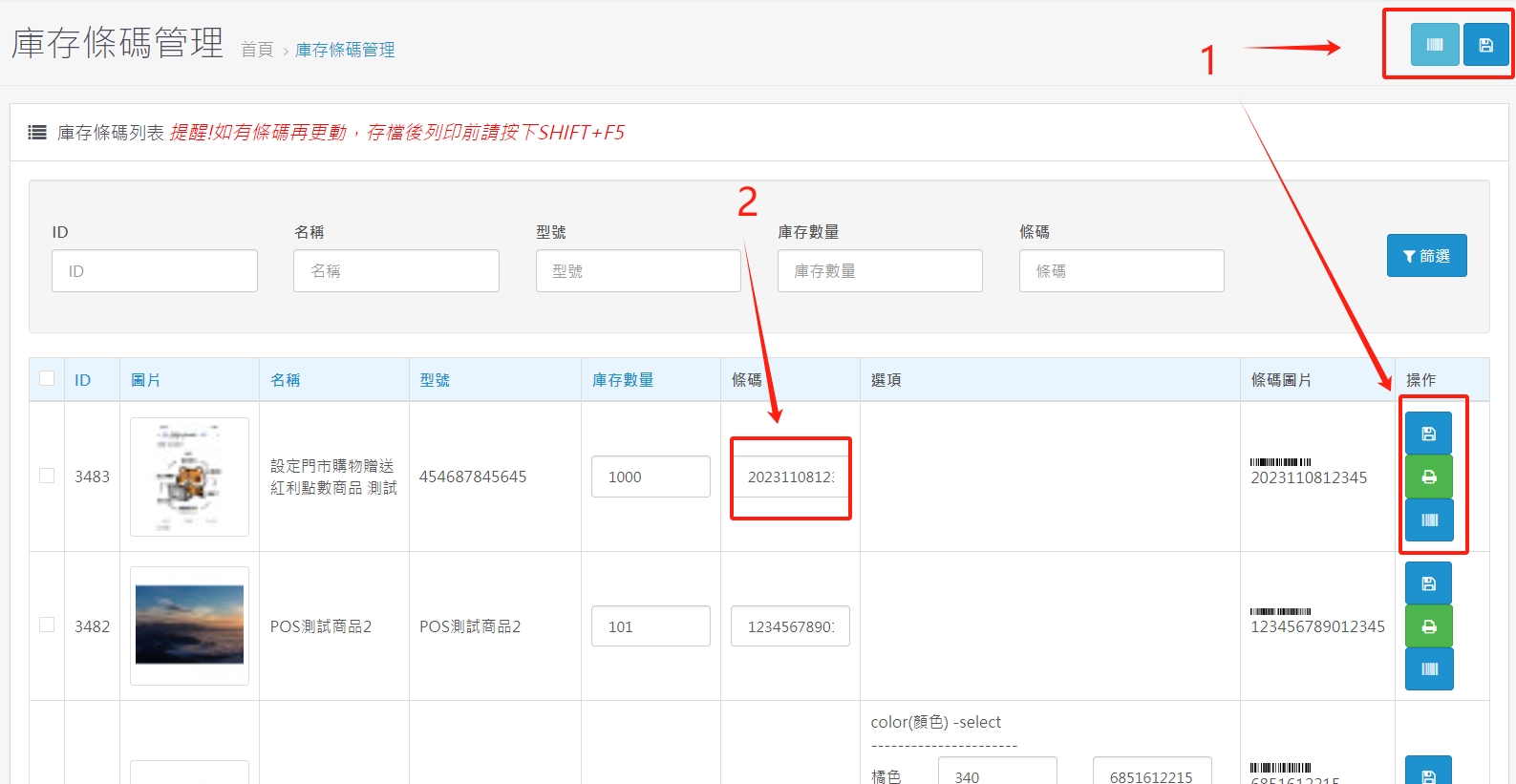
1. Barcode printing and archiving settings. Bring your own barcode printer to print in large quantities and adjust the size according to specifications.
2. You can add an edit barcode (a password used by the store to identify the cost and selling price) or use a QR code scanner to quickly scan in the international barcode directly for storage of goods.
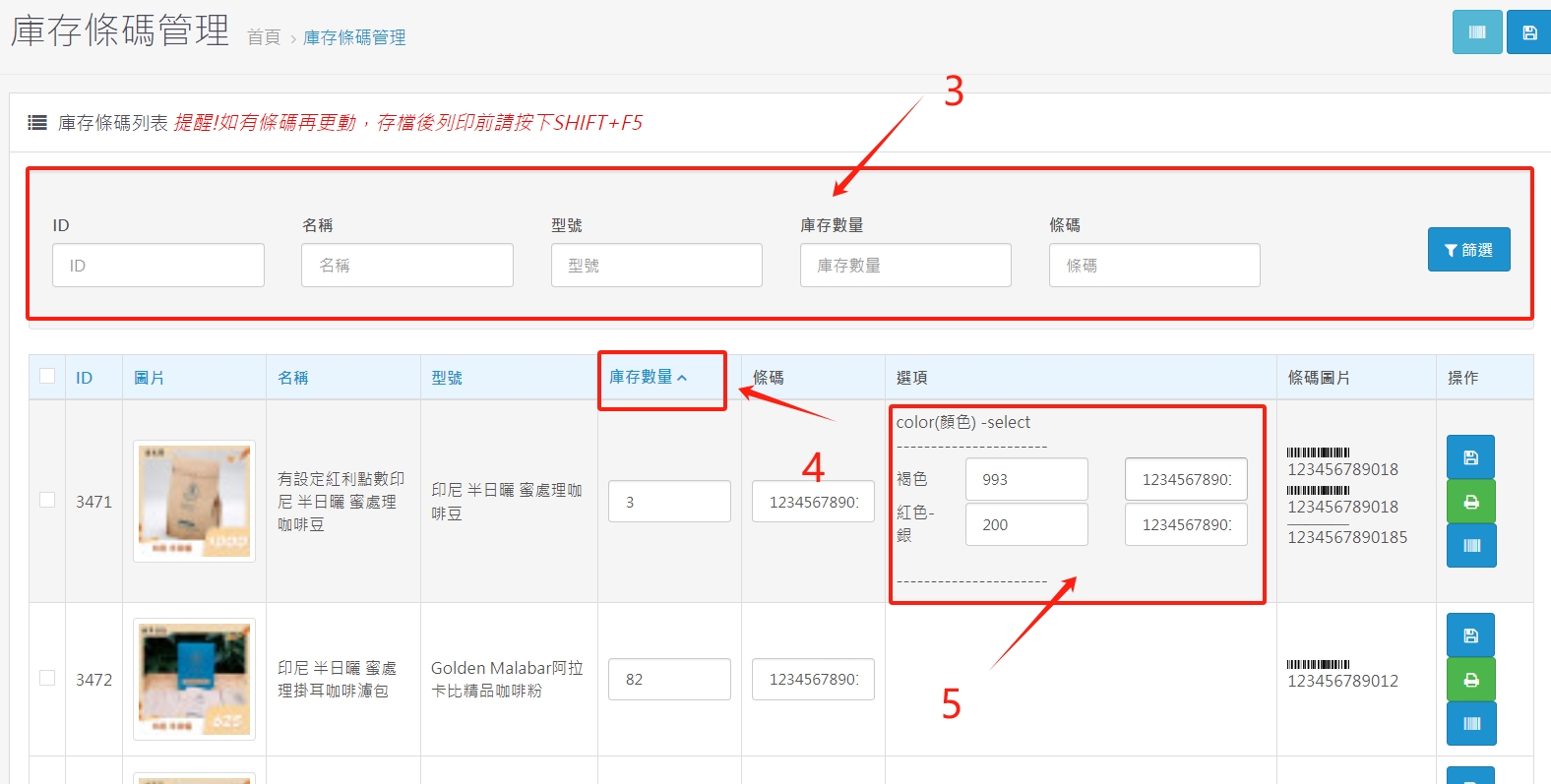
3. Search for product-related information
4. It can be sorted according to the inventory quantity to facilitate the management of low-stock products.
5. The quantity and barcode can be set separately for the same product but different colors or specifications to facilitate more detailed inventory management.
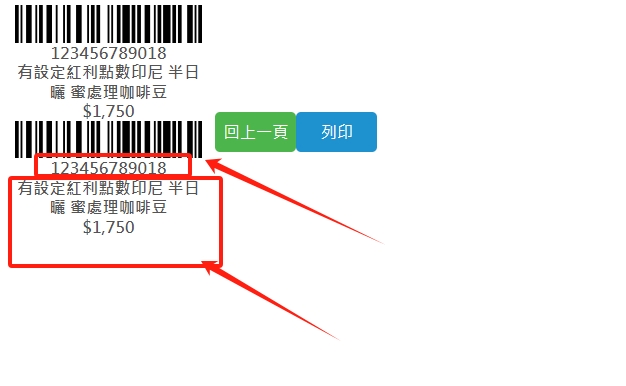
6. Clearly display the barcode (the password for the store to identify the cost and selling price), product name and selling price to facilitate more detailed inventory management.
There are no products to list in this category.
