
*iShareFunRun all-channel
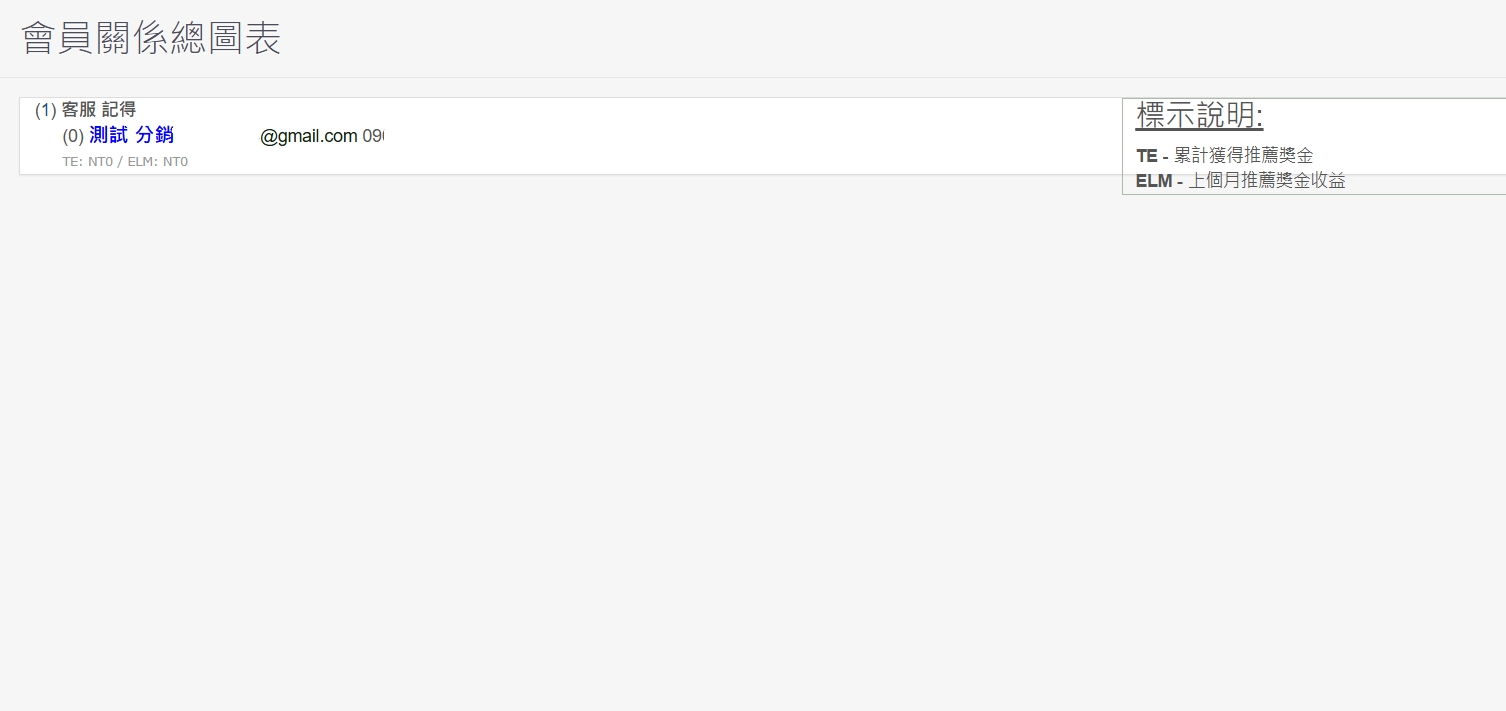
⭐Intelligent profit sharing distribution ⭐Direct sales organization chart ⭐Share automatic binding recommendation relationship ⭐Exclusive endorsement link for members/influencers
⭐Share to with one clickLINE, FB、IG and other platforms expose products to quickly guide customers and traffic.
⭕Business model application
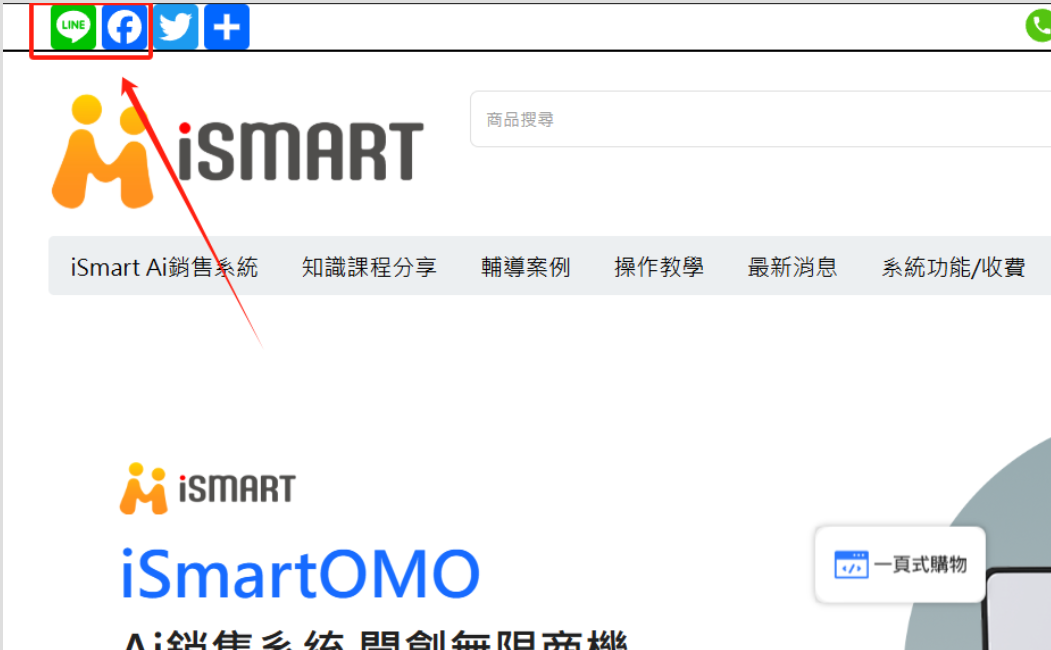
⭕RWD website system screenOne-click sharingJust click LINE or FB in the upper left corner of the page, automatically generate a personal exclusive sharing link, share it with friends immediately, The system automatically binds the introduction relationship, and You can set the sharing distribution bonus for each product.
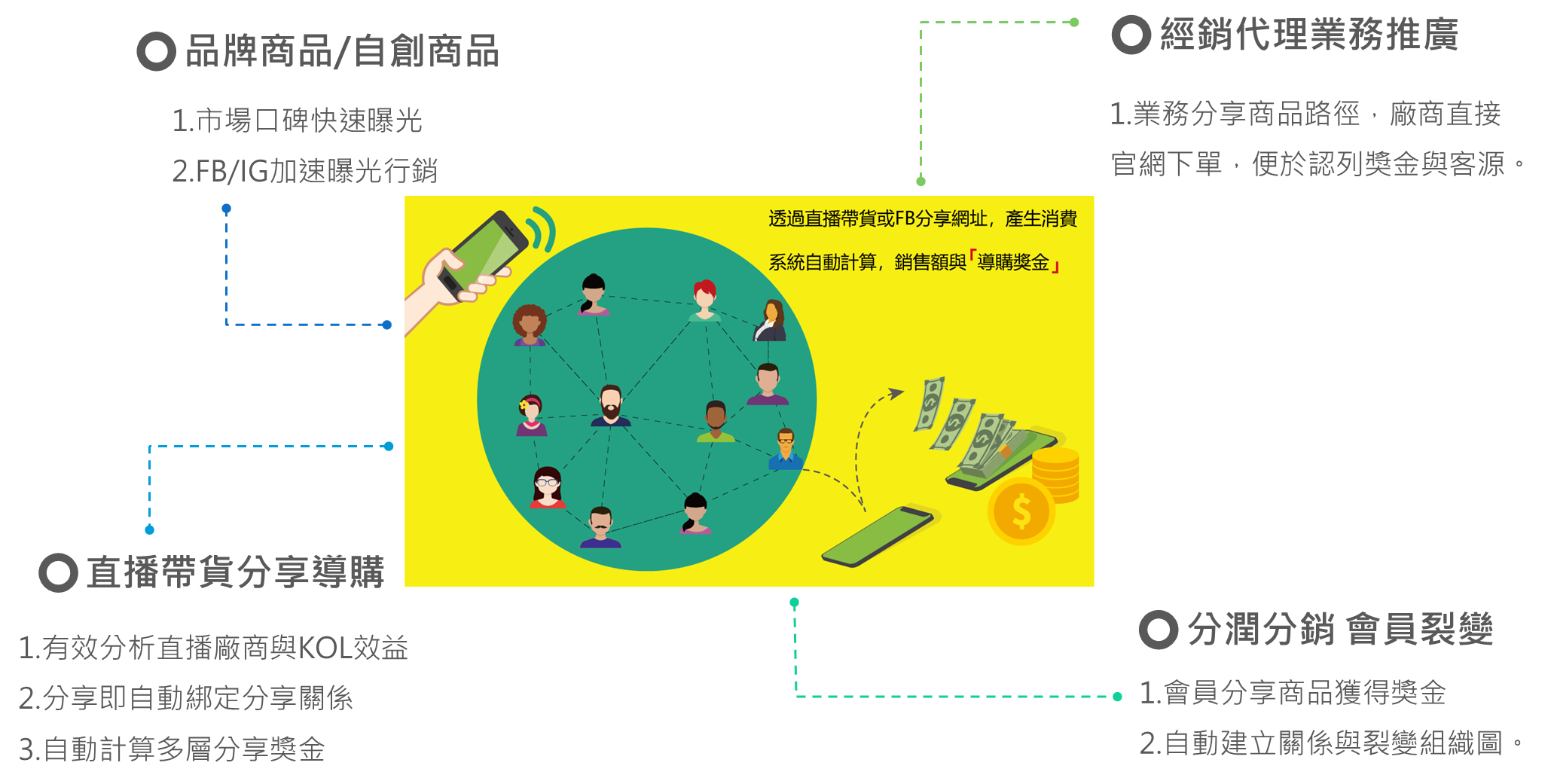
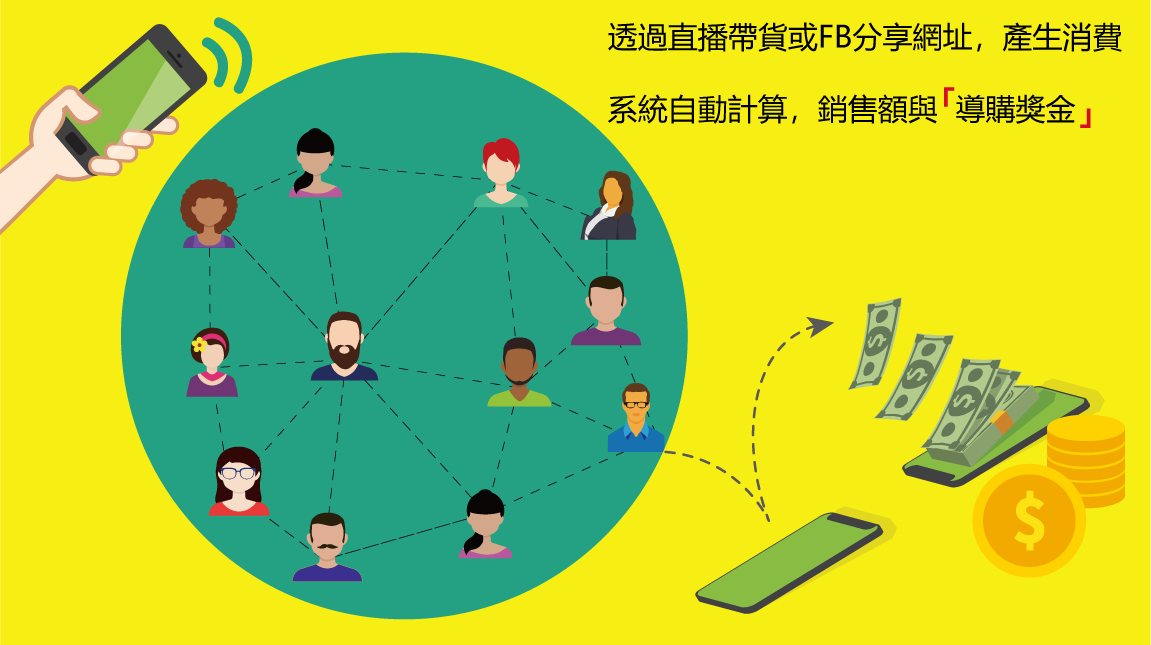
⭕i Share profit distribution Promotion system Profit-sharing distributionBusiness model description
⭐Instant integrationKOL, internet celebrity, and live streaming to help promote your products and brand.
⭐Quick QueryProduct sales volume and amount, automatic calculation of bonuses, number of referrals, sales team organization chart and other statistical tables.
⭐Own productsThose who are interested in representing your products do not need to spend time listing your products on Shopee and other platforms. They can directly share the profits and lower the recruitment threshold.
⭐Bring your own trafficSell products as an agent. Fans who are interested can place orders directly and convert your loyal fans and accumulated platform membership information.

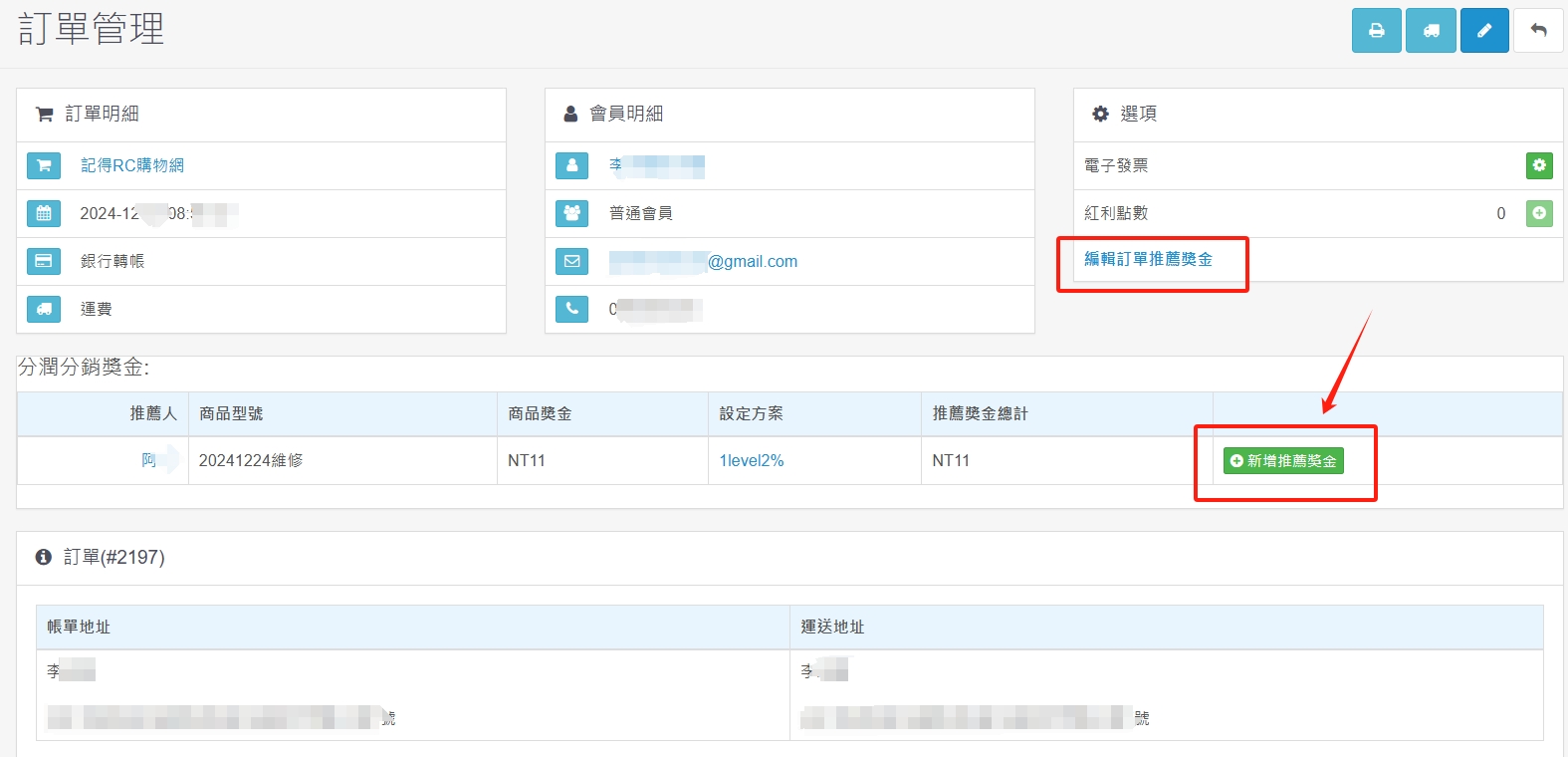
⭕Full display of each order The system backend manager can clearly see that the recommended bonus plan and amount applicable to members can be allocated manually or automatically, and the bonus plan can be edited for free control and flexible use.
(1) Different products can share profits differently
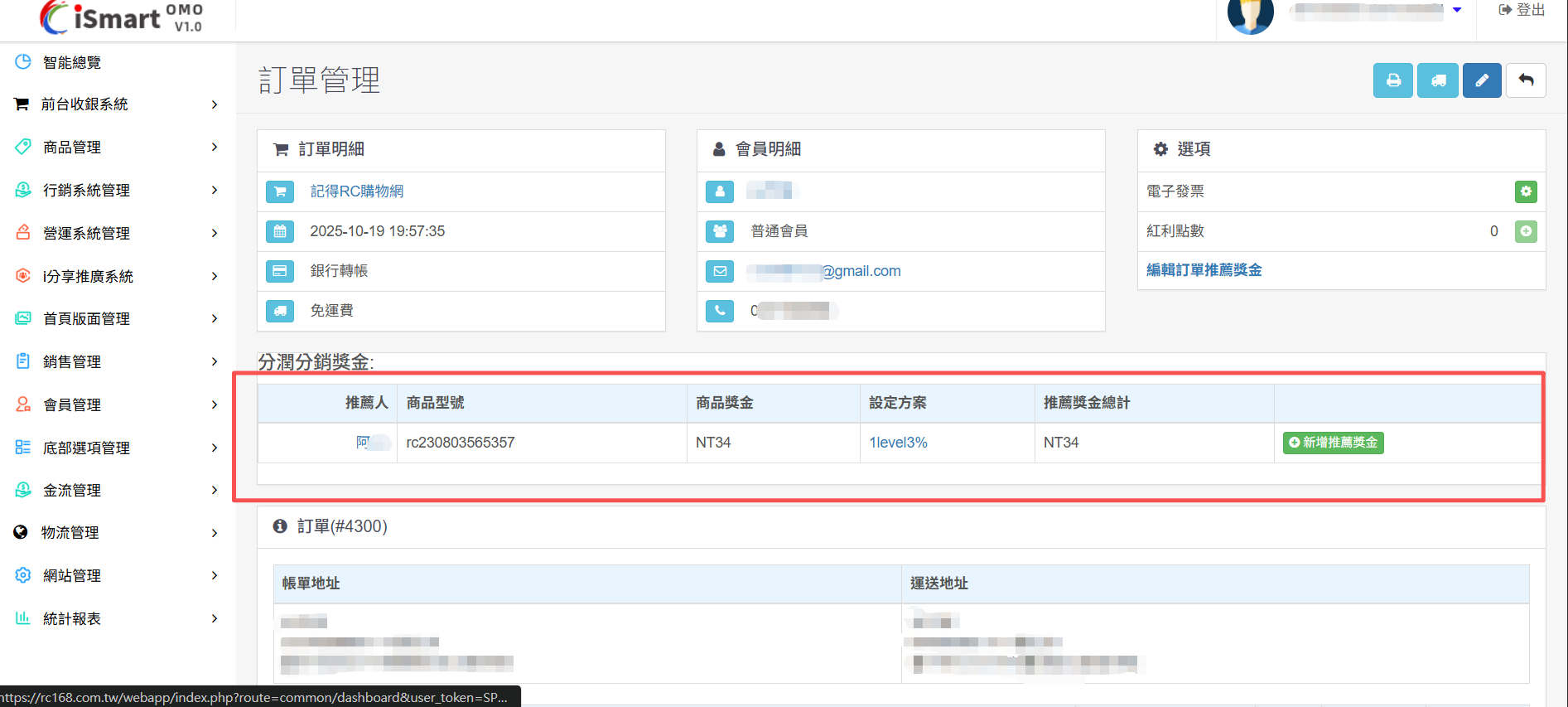
(2) Different products can share profits differently
⭕Front desk member center is fully displayed The member center displays how many referral bonuses you have received, and you can freely decide to convert the referral bonuses (points) into shopping credits, which can be used to redeem product purchases.
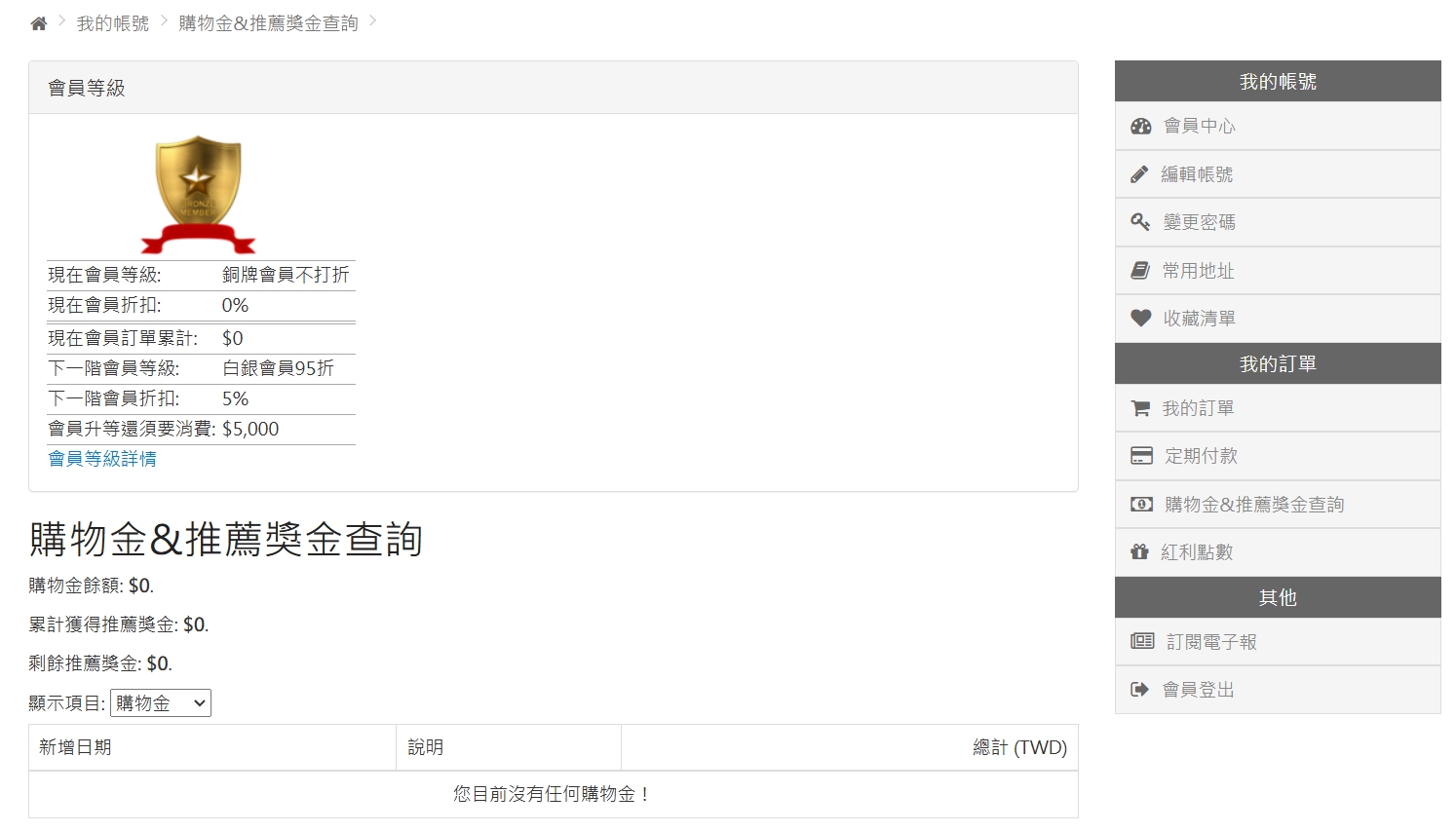
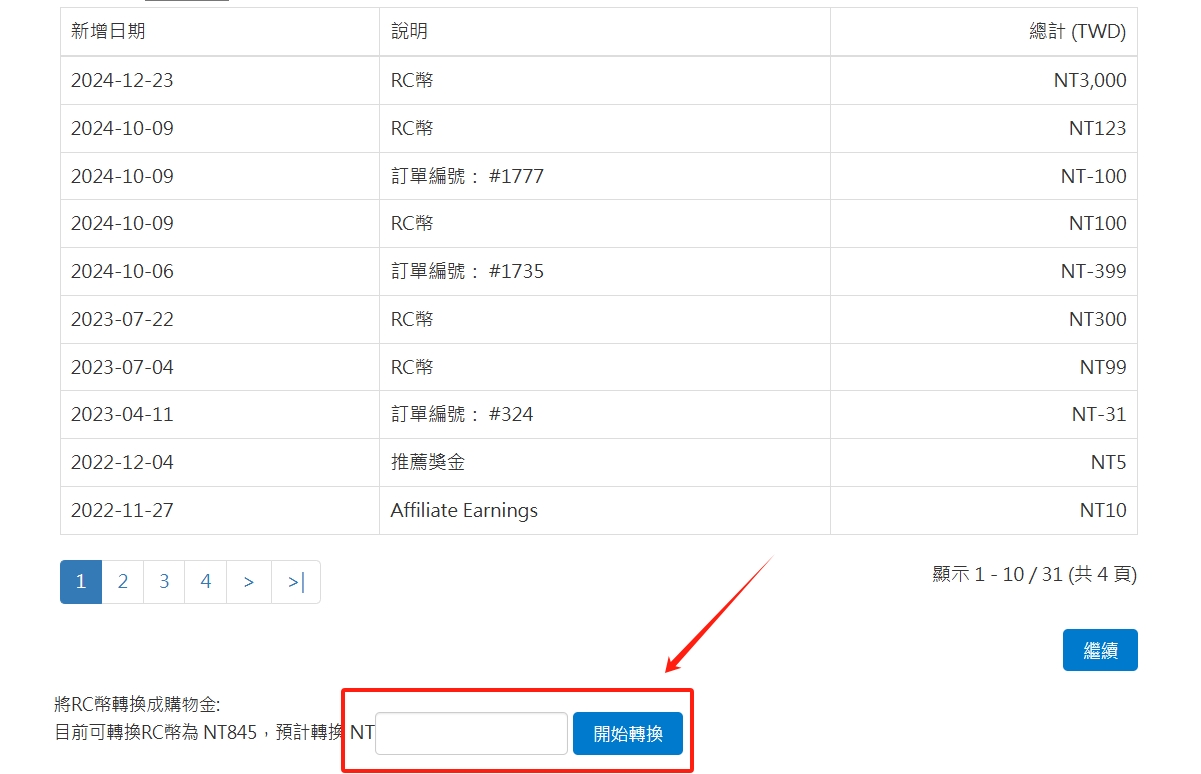
⭕The member center front desk clearly shows how much profit is made from the recommendation
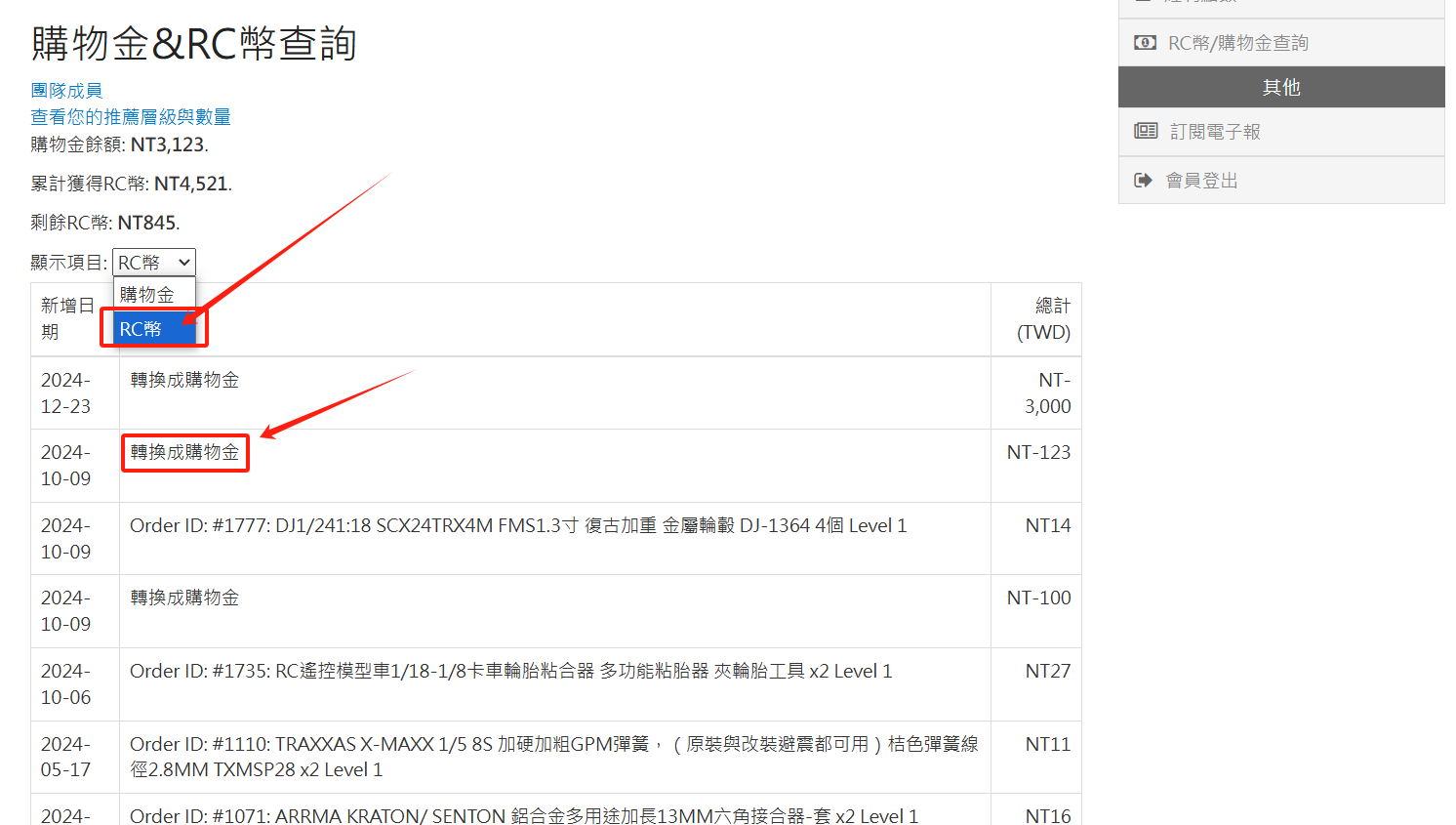
⭕You can see your recommended number and current level at the front desk of the member center
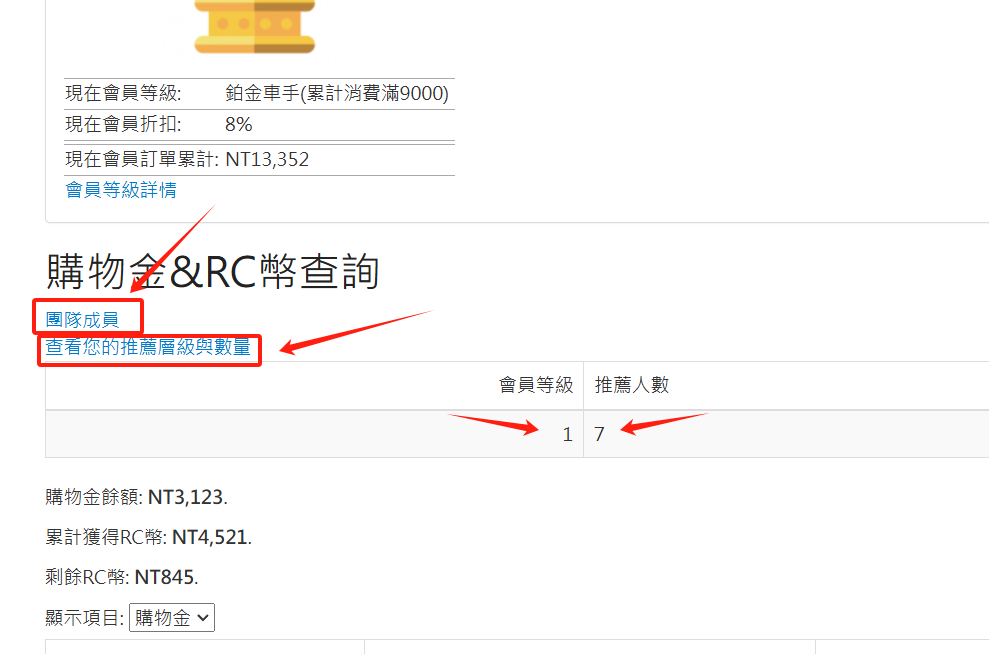
⭕The report summary center in the background clearly counts complete data
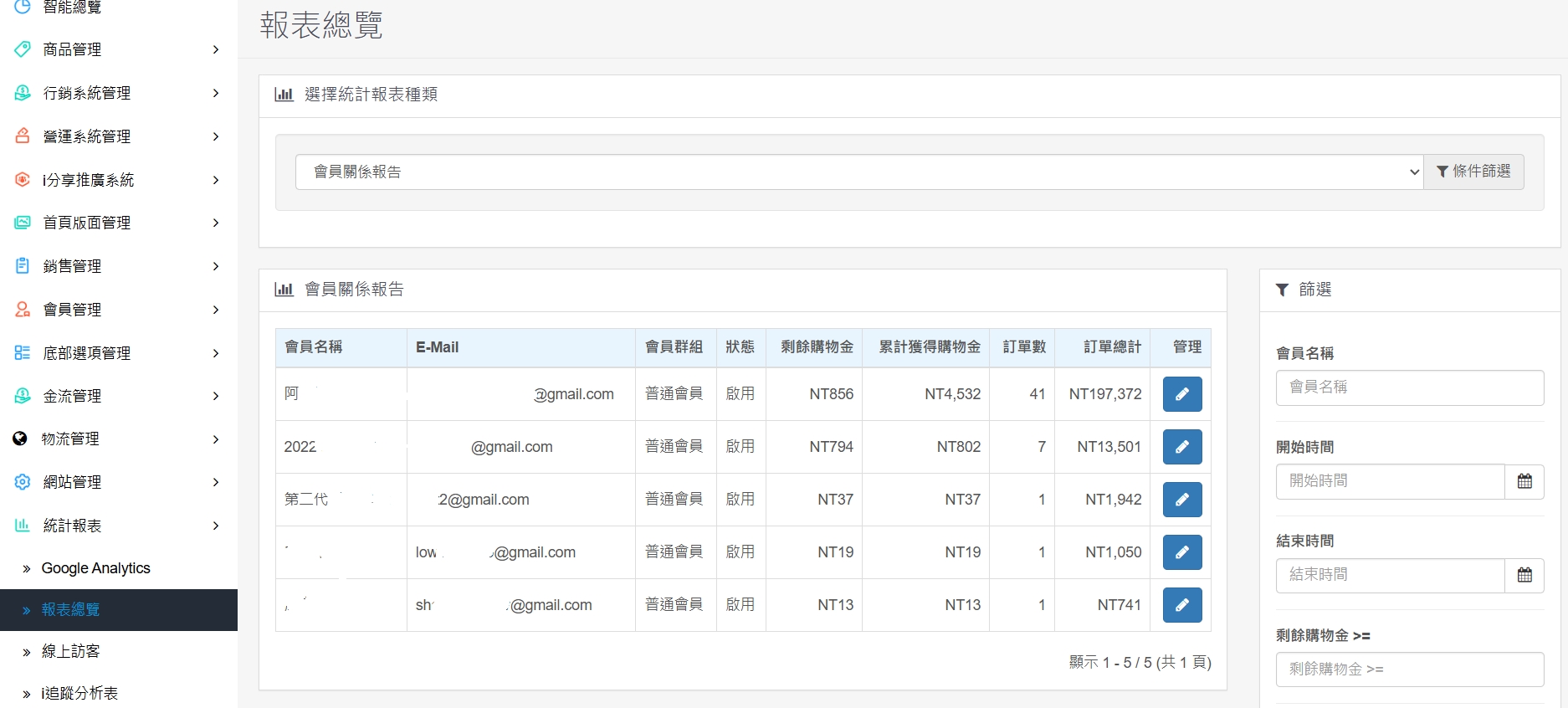
⭕Backend member management can check the recommendation relationship and consumption status of each member
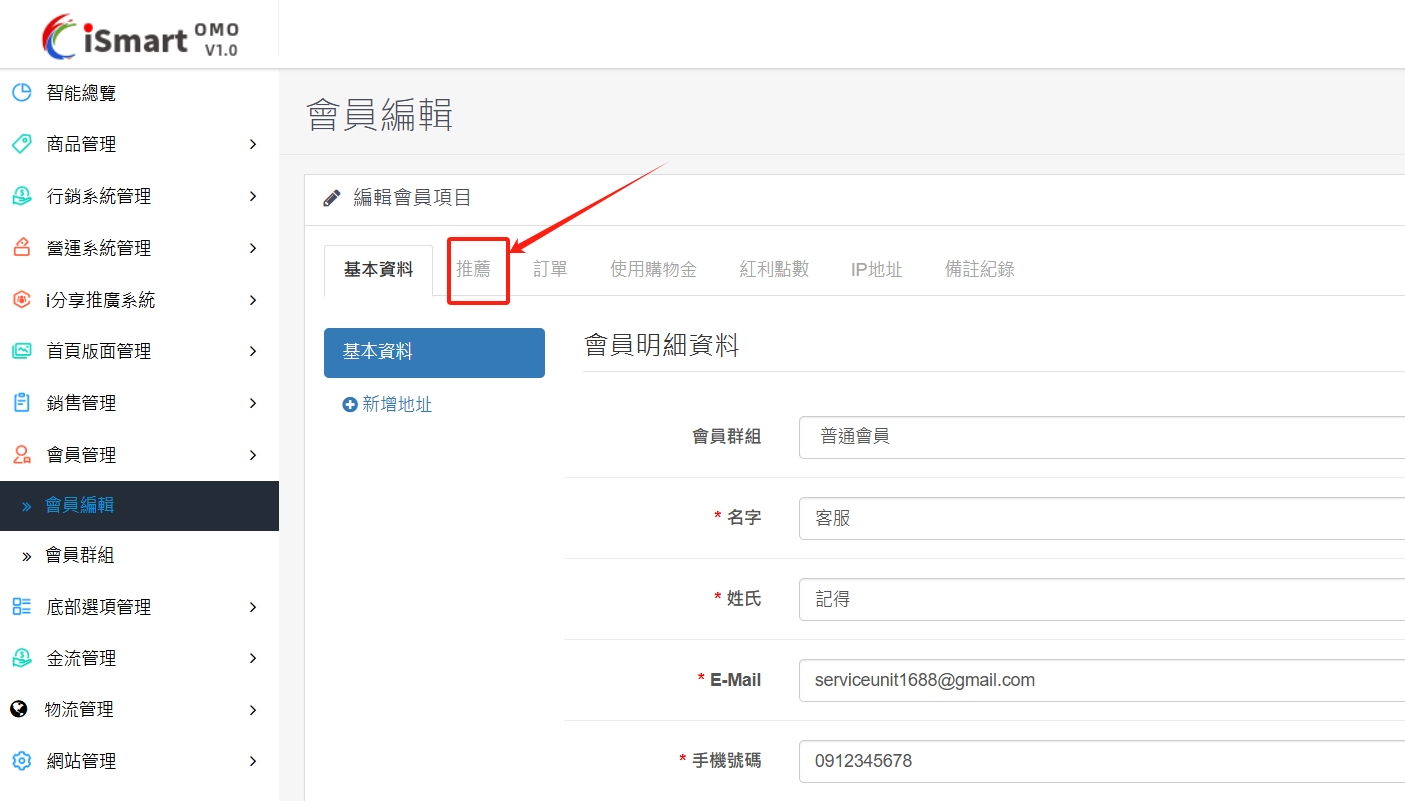
⭕You can adjust the relationship between the members and re-establish the sharing and distribution relationship
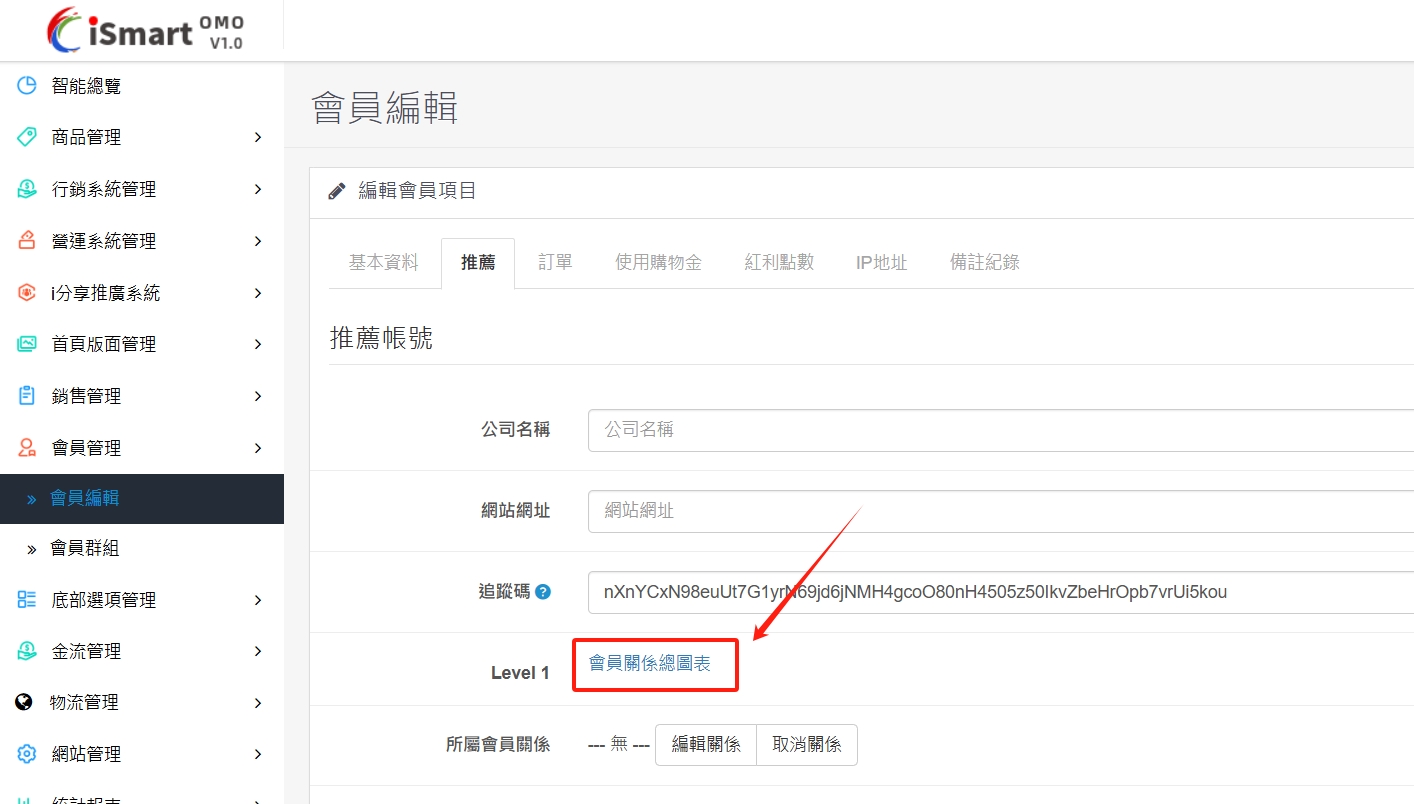
⭕Completely presents the ladder relationship of multi-level algebra. If you have a personal organization, you can also check the site-wide organization
There are no products to list in this category.
